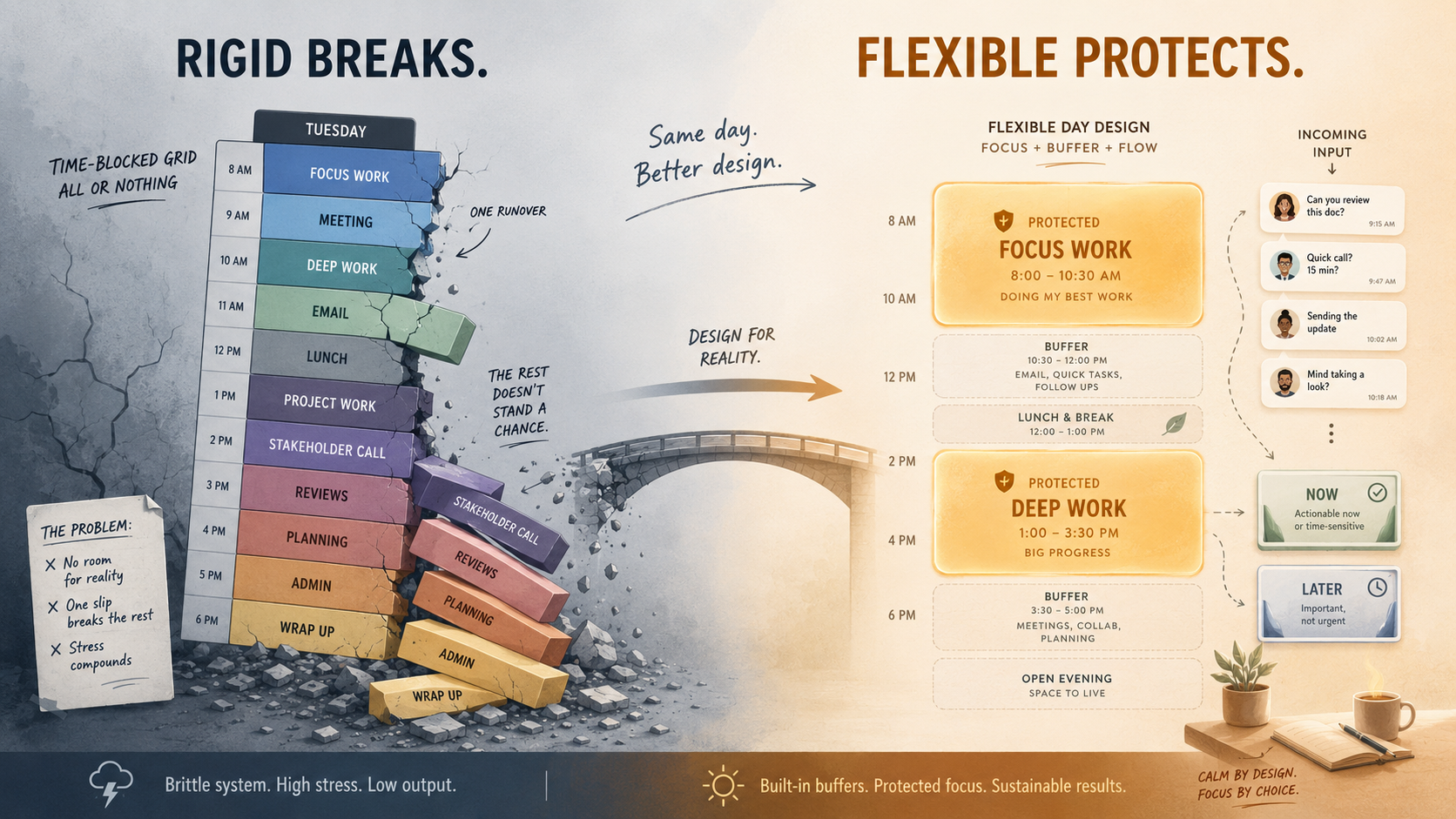

Time blocking is a scheduling method where you give each part of your day a specific job before the day starts. Instead of working from an open to-do list, you put tasks straight onto your calendar:
- the report gets 9:00 to 10:30,
- email gets 10:30 to 11:00,
- and so on down the day.
Cal Newport, the computer-science professor who covers the method in Deep Work, sums it up as giving every minute of your day a job.
The idea isn't new. Benjamin Franklin mapped his days into blocks, and plenty of people who get a lot done swear by some version of it.
It also has a well-known weak spot. The moment your day stops going to plan — a meeting runs long, an urgent request lands — a calendar mapped to the minute falls behind, and the rest of the day's blocks are suddenly wrong.
What time blocking is, and why it works
You take the hours you actually work, divide them into blocks, and assign each block to a task or a type of work. Small tasks get grouped into one block rather than scattered through the day. The most important work gets a slot on your calendar before meetings and requests have a chance to fill the space:
- The decision is already made. When a block starts, you don't spend energy choosing what to work on.
- It's a reality check on capacity. Putting every task on a calendar shows you can't fit twelve hours of work into eight
- Important work gets protected. Focused work loses to email and meetings by default.
Time blocking suits work you can plan ahead and mostly control, like writing, code, or design. Newport argues that this kind of focused work has a daily ceiling of only a few hours, so the point of a schedule is to make sure those hours go to work that matters instead of leaking into shallow tasks.
Where a rigid schedule breaks
The first problem is that people aree bad at estimating time. Psychologists call it the planning fallacy: we underestimate how long our own tasks will take, even when we've done similar tasks before and know better.
The second is interruptions. If you're in support, operations, or account management, much of your work is responding to things that haven't happened yet. You can't usefully block 10:00 to 11:00 for "handle the escalation," because either nothing comes in and the block is wasted, or five things come in and one block was never going to hold them.
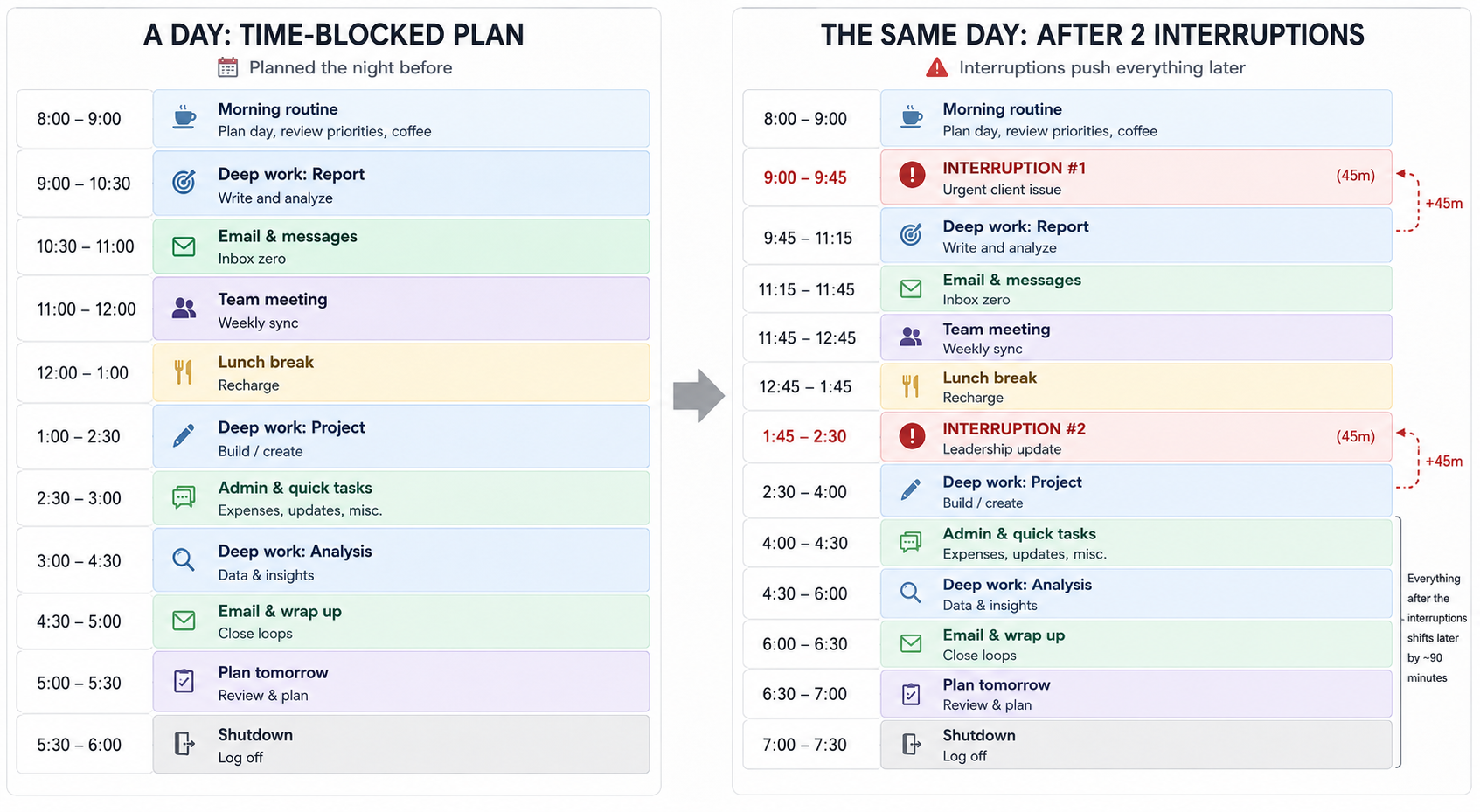
The third is what happens after the schedule breaks. When the plan visibly falls apart before lunch, a lot of people abandon it for the rest of the day and feel like they failed at it. Over-fill your calendar with no slack and that's usually what happens.
A more flexible way to stay focused
The useful part of time blocking, deciding in advance what deserves your attention, survives without the rigid grid. A few habits to get you there:
- Protect one or two blocks rather than the whole day.
- Batch the reactive work.
- Put a limit on slippery tasks.
- Leave buffer, and adjust freely.
Underneath all of that is priorities. A flexible plan only works if you actually know what your top one or two things are, so that when the day forces a choice, you protect those and let the smaller stuff move.
Flexibility without clear priorities is just reacting to whatever's loudest.
When your team works in Slack
For a lot of teams, the day is not a calendar that they control: the work shows up as a stream of messages. Questions in channels, DMs, threads you got added to. The flexible approach matters even more here.
What discipline looks like in Slack is a triage habit. A few times a day, go through what's come in and sort each thing quickly. Most messages are one of three kinds:
- Noise you can let go. An FYI in a channel, a thread that doesn't need you. Read it, react if it's polite to, and move on.
- Something to act on now. A quick answer or a two-minute reply is faster to just do than to track for later.
- Real work for later. It needs you, but not this second, and it's too important to keep in your head. Capture it and come back to it later.
Between those passes, the discipline is protecting your focus rather than living in the notification feed. Jumping to everything is another extreme, with your attention mapped to whatever just arrived.
There's more along these lines in this roundup of Slack productivity tips.
For the "act on later today" items, Slack's own reminders are the simplest tool: they DM the message back to you at a time you pick, so it leaves your queue now and returns when you're ready. There's a full walkthrough in this guide to setting up Slack reminders.
Capturing the work as tasks
The triage only holds together if ”real work for later" has a reliable place to go. A starred message or a mental note isn't tracked: the request stays in the thread, and whether it gets picked up depends on someone remembering it. Anything with an owner and a deadline needs to live somewhere you can actually check.
That's the piece native Slack doesn't cover on its own, and it's where a Slack-based tracker earns its place. Chaser works inside Slack: from the message menu you turn a request into a task, assign an owner, and set a due date, all without leaving the thread it came up in. From there it follows up on its own, reminding the assignee as the deadline approaches and after it passes, so chasing people isn't a manual job.
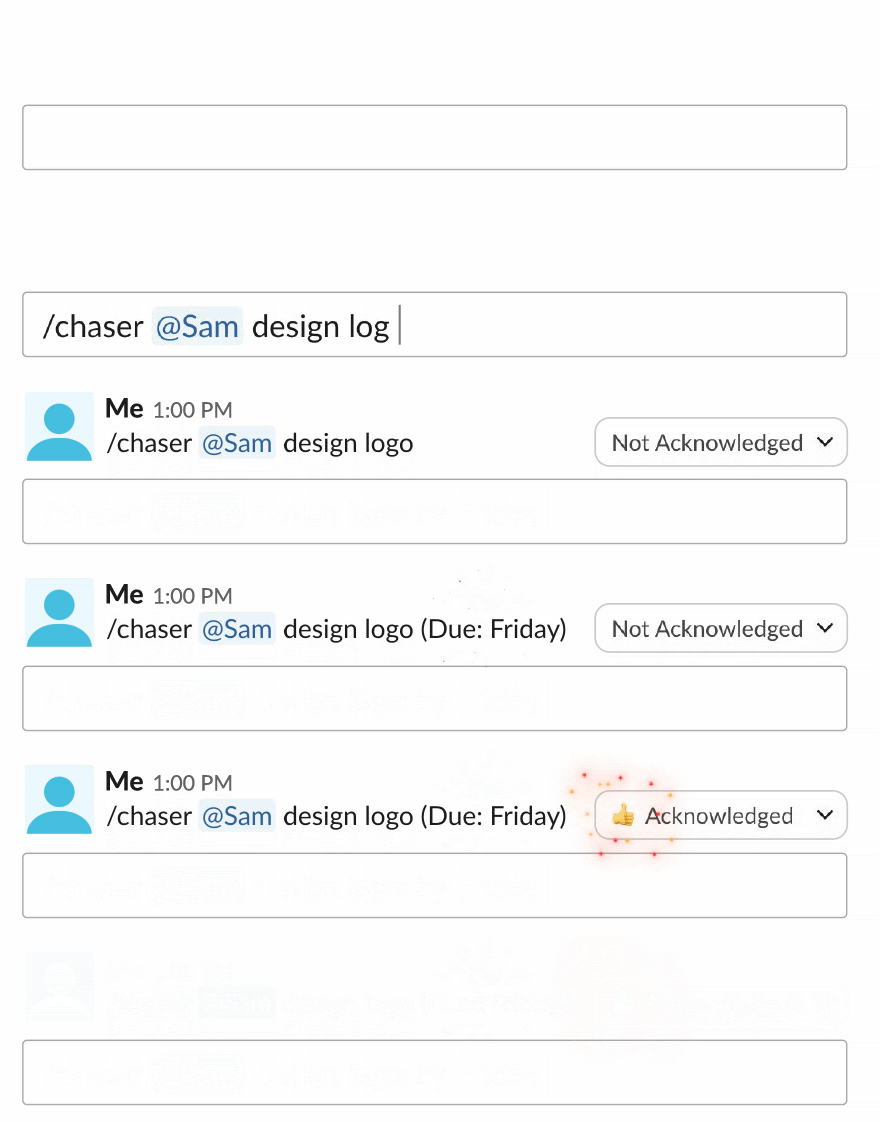
Recurring duties can be set as repeating tasks, and a daily job like watching the support channel can rotate across the team automatically, so there's a clear owner each day without anyone assigning it by hand. Because Chaser has a calendar view that syncs with Google Calendar, the tasks you capture can sit next to your actual meetings. That's about as close as reactive work gets to a time-blocked day, built from real commitments.
Final thoughts
Time blocking is a good tool, especially for protecting focused work on days you control. Hold your priorities firmly, keep the schedule loose enough to redraw when the day changes, and you get the intention without the brittleness.
For teams whose day runs on Slack, that means triaging what comes in, protecting focus between passes, and capturing the work you'll return to somewhere it's actually tracked. You can try Chaser for free and see how it fits the way your team already works in Slack. Get started and add Chaser to Slack, for free.




