Fast-Moving Project Management Software for Startups
Keep your startup agile, organized, and focused with seamless task management inside Slack.

Scale without the chaos—Chaser ensures your fast-moving team stays on top of every task.
Scaling Fast Shouldn’t Mean Losing Track of Work
Startups move at warp speed, often meaning important tasks get lost in Slack messages,
emails, and scattered tools. Context switching between different apps disrupts focus,
slows execution, and creates unnecessary friction.
Without a structured
workflow, teams struggle with misalignment, missed tasks, and constant manual
follow-ups. Following up on work and ensuring accountability shouldn’t feel like an
additional full-time job. Startups need a simple, frictionless way to stay on top of
work without adding more tools or overhead.
Chaser Simplifies Task Management
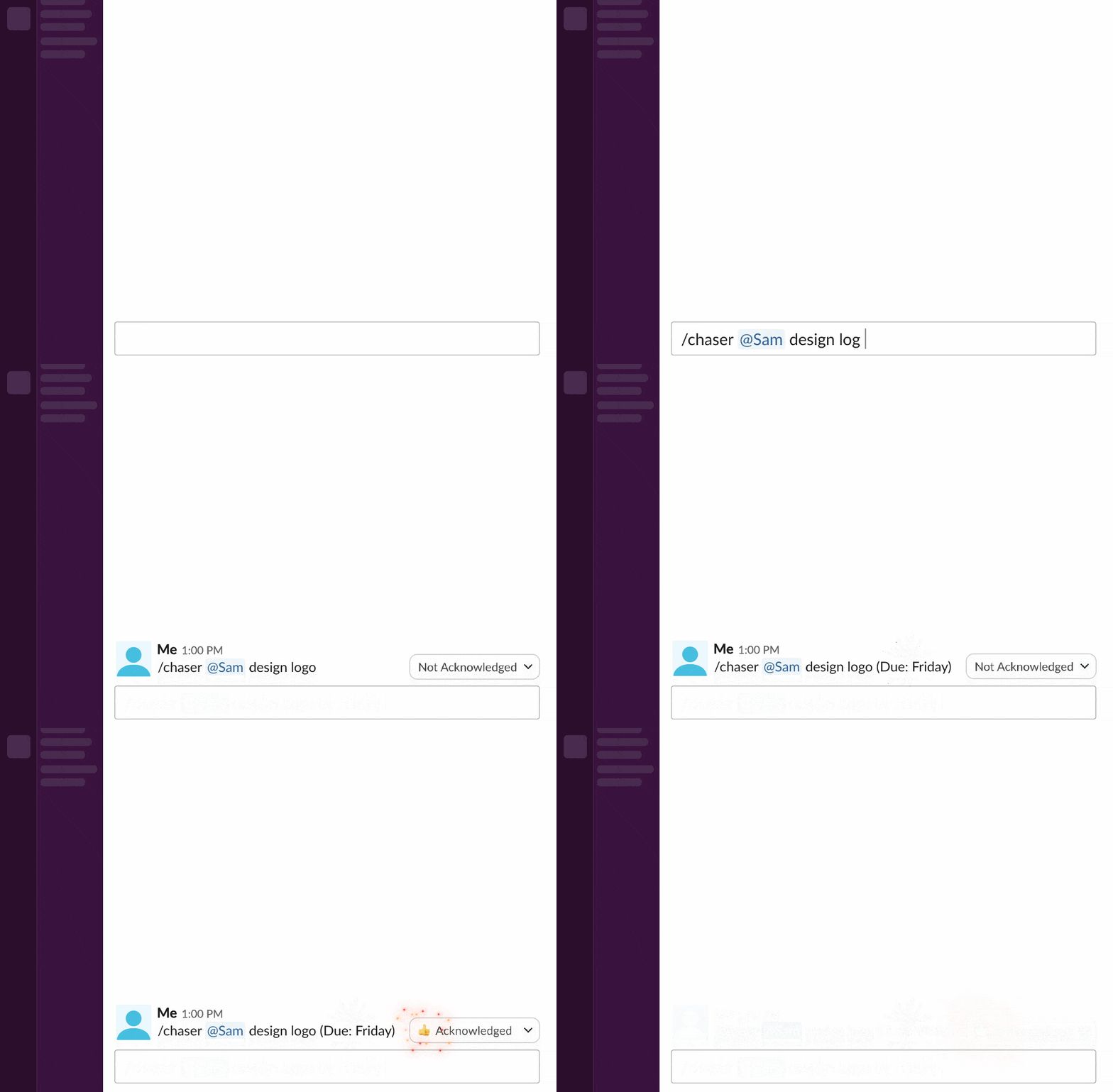
Chaser integrates directly into Slack, turning conversations into trackable
actions. Your team can stay agile without missing deadlines or manually chasing
updates.
With Chaser, your startup can:
Turn messages into tasks instantly – Convert Slack discussions into action items with a single click.
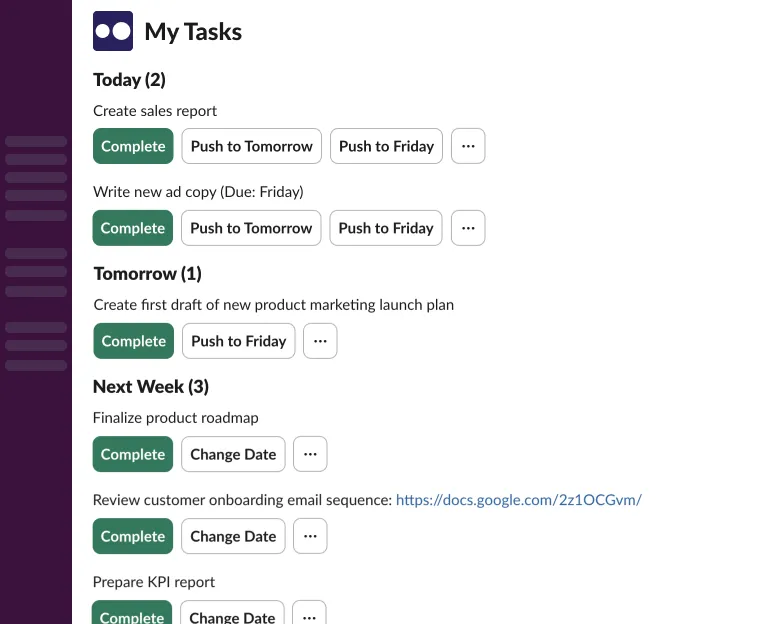
Automate follow-ups & reminders – No more manual check-ins—Chaser ensures tasks don’t slip through the cracks.
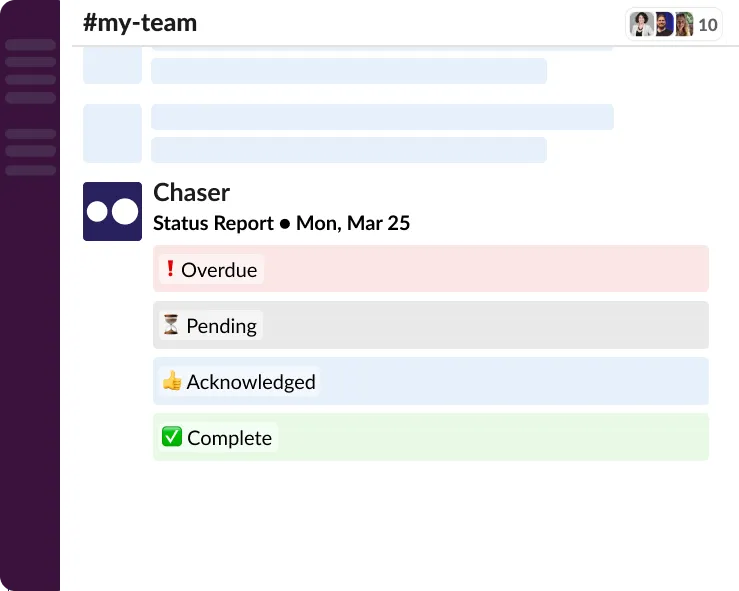
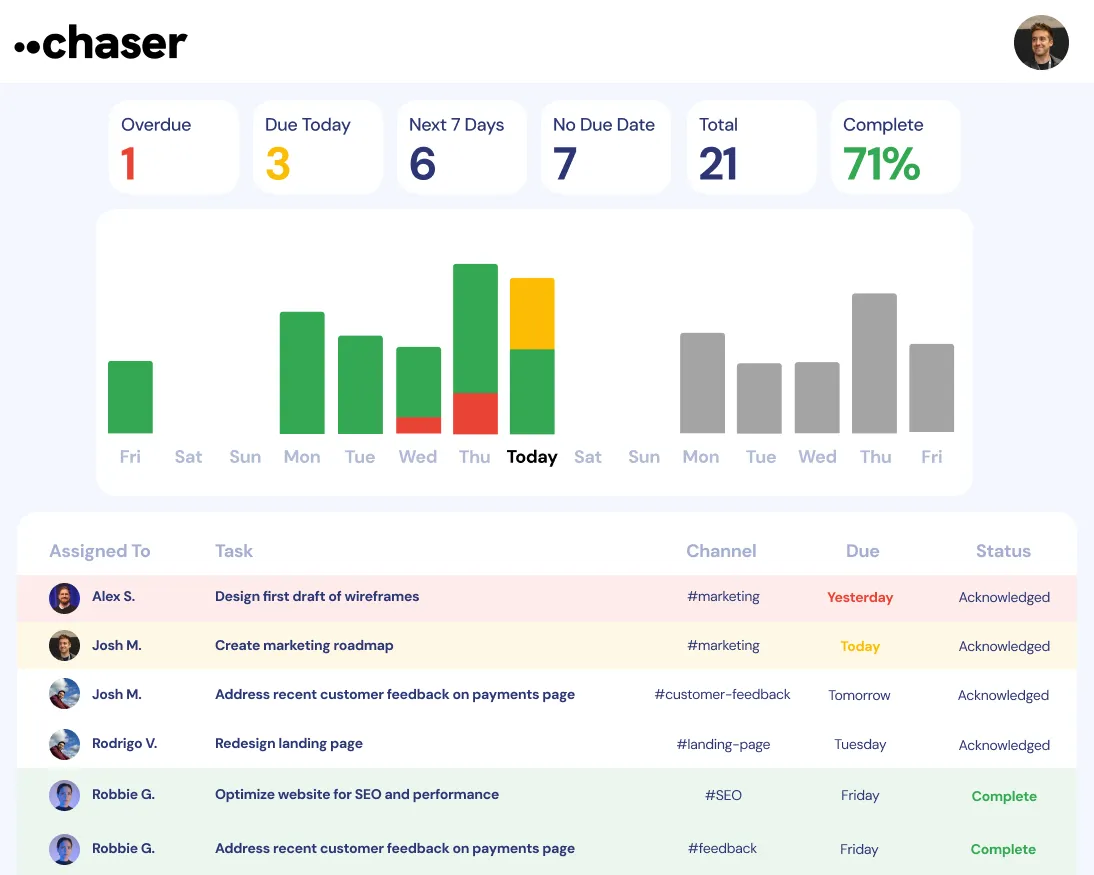
Get full team visibility without status meetings – See exactly what’s on track and what needs attention without micromanagement.
Minimize tool fatigue – No need for separate project management software—Chaser works where your team already collaborates.
Streamline cross-functional collaboration – Assign, update, and track work seamlessly across different teams inside Slack.
Enable 1:1 task management – Keep track of individual responsibilities and personal to-dos without extra effort.

How Chaser Works for Startups
Task Management That Scales With You
How Chaser Transforms Startup Execution
With Chaser, startups experience:
Less Time Managing Tasks – Automate follow-ups and streamline tracking.
Faster Execution – Keep everyone aligned and moving quickly.
Clear Team Accountability – Ensure everyone knows their priorities without micromanaging.
More Strategic Focus – Free up leadership’s time to focus on growth, not tracking down action items.
Stronger Cross-Team Collaboration – Break down silos and enable seamless coordination across departments.
Teams Love Chaser for Seamless Task Management
From fast-growing startups to busy internal teams, Chaser helps teams stay on top of work without adding more to their plates.

“Chaser made task tracking effortless. We stopped losing things in Slack and started finishing projects faster—with less stress.”
- Tan M, VP, Growth
Turn Slack Into Your Startup’s Smartest Execution Hub

