Alignment, Accountability and Productivity — Project Management Software That Lives Inside Slack
Managing a team shouldn’t mean chasing people for updates or losing track of important
action items. Chaser helps leaders run effective 1:1s, foster team alignment, and gain
visibility into what matters most—without micromanaging. Assign, track, and follow up on
tasks effortlessly so work moves forward, and nothing falls through the cracks.

Keep Your Team Focused, Aligned, and On Track. Chaser helps teams manage tasks, track progress, and stay accountable—without adding another platform to the mix.
Clear Accountability, Zero Guesswork
Stop wasting time wondering who’s responsible for what. With Chaser, you can assign
tasks directly in Slack, ensuring that every action item has a clear owner. Real-time
progress tracking means no more second-guessing deadlines or sending unnecessary
follow-ups.
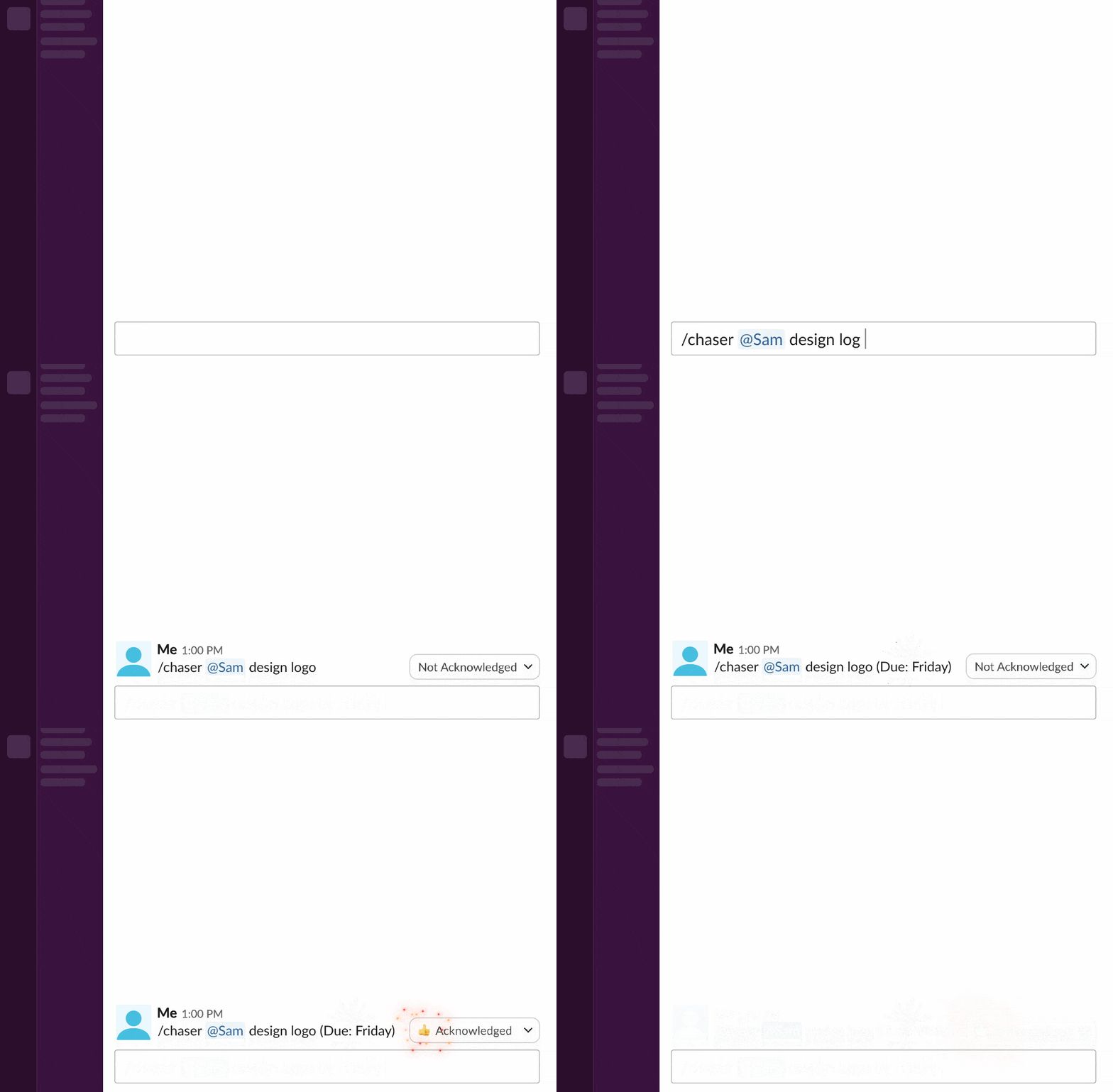
Assign tasks without interrupting your team’s workflow. Chaser
lets you turn Slack conversations into tasks instantly, so nothing gets lost in
endless message threads. Whether assigning tasks in public channels or private DMs,
your team always knows their responsibilities.
Track progress updates
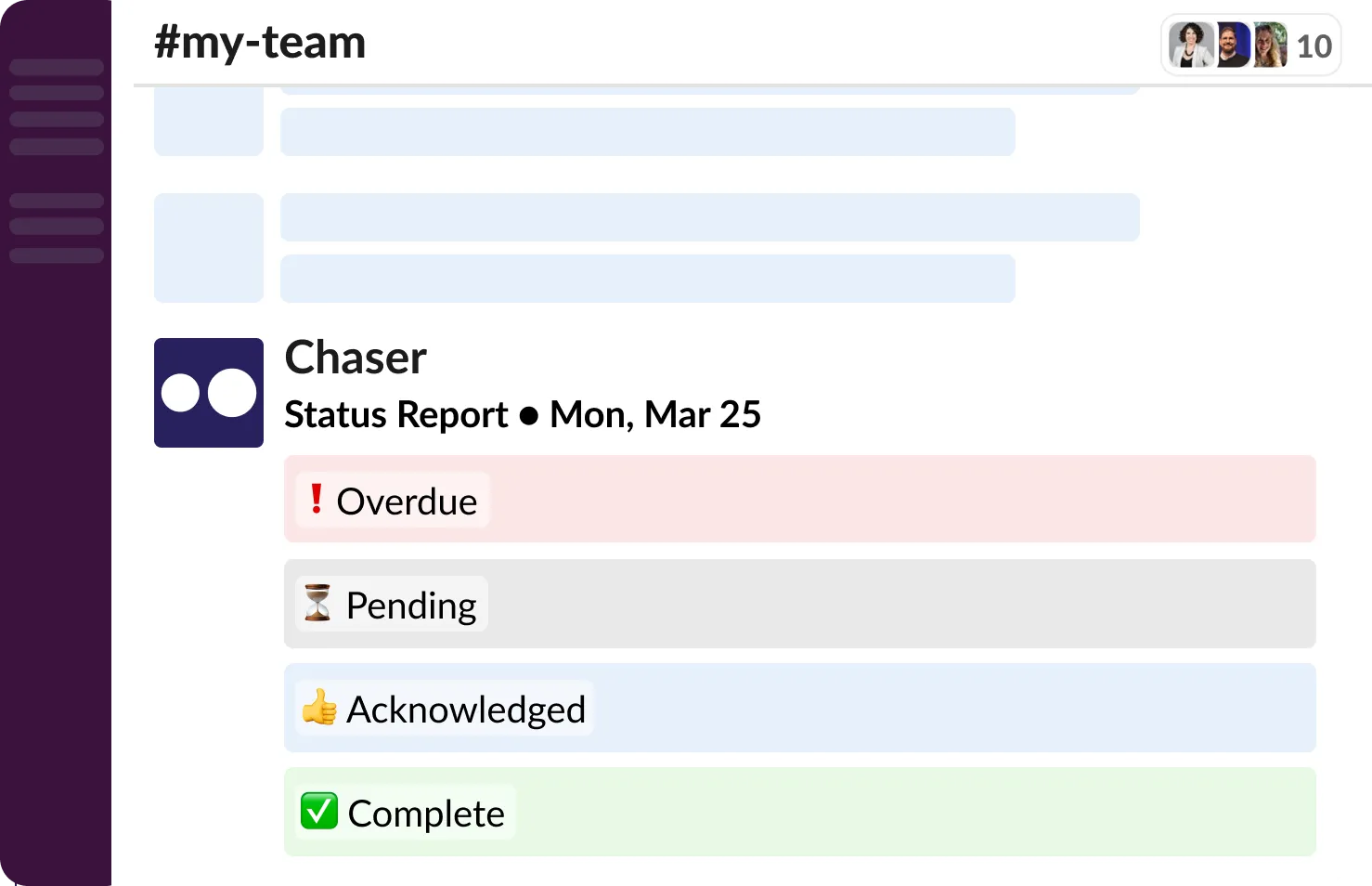
automatically—no need to ask for status reports. Instead of manually checking in on
tasks, Chaser delivers automated updates on task progress. Team members can mark work
as done or adjust deadlines without disrupting conversations.
Keep everyone
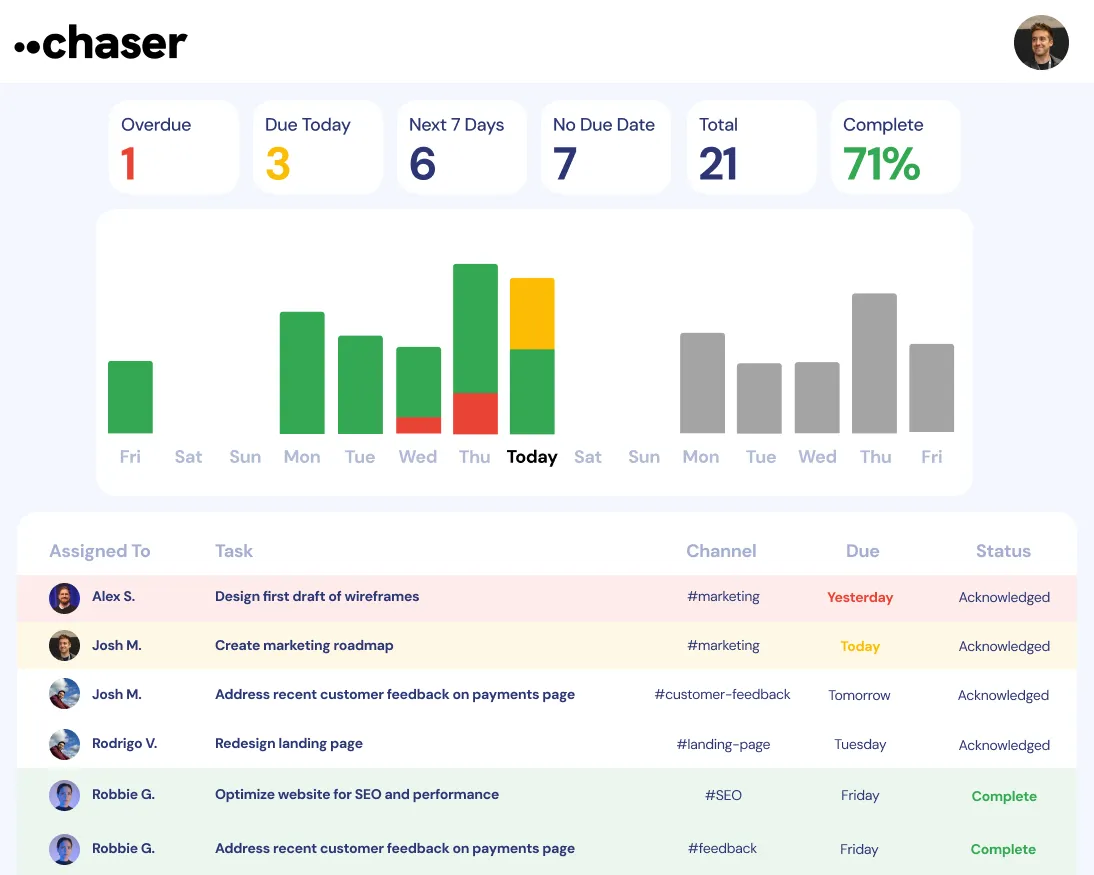
aligned and accountable without micromanaging. By providing visibility into what’s on
track and what needs attention, Chaser removes the need for excessive check-ins. Your
team stays focused, and you can spend less time chasing updates.

Smart Follow-Ups, No Micromanaging
Manually following up on tasks is inefficient and frustrating. Chaser automates reminders, nudging your team when deadlines are approaching or work is delayed—so you don’t have to.
Set automatic reminders for due dates, reducing the need for constant check-ins. Chaser ensures that deadlines don’t sneak up on your team. Automated nudges keep everyone accountable, so work moves forward without your intervention.
Receive status updates before projects fall behind. Instead of waiting until something is overdue, Chaser proactively alerts you when work stalls. Get ahead of bottlenecks by addressing potential delays before they become roadblocks.
Keep your team engaged and accountable without feeling like a micromanager. Traditional follow-ups can feel nagging, but Chaser keeps things professional and productive. Automated check-ins create a culture of responsibility without adding stress.
Make 1:1s More Actionable
One-on-one meetings should drive progress, not just discussions. Turn conversations into results. Chaser ensures follow-up tasks don’t get lost and helps managers track commitments without extra admin work.
Create and track tasks from 1:1 meetings to drive accountability. Assign action items during meetings so they don’t slip through the cracks. With Chaser, you can quickly turn a conversation into a task without switching tools.
Keep private conversations productive by turning discussions into action items. Direct messages in Slack often contain important next steps. Chaser makes it easy to track personal to-dos and private commitments without needing a separate system.
Use automated check-ins to make sure commitments are completed on time. Chaser reminds team members about their responsibilities, helping them stay on top of their work without additional follow-ups from you.
What Teams Are Saying
Real teams. Real results. See how teams are using Chaser to stay aligned, accountable, and get work done—without the constant follow-ups.
Turn Team Conversations into Actionable Next Steps
Not every task starts in a project management tool—most start in conversations. Chaser ensures discussions turn into trackable action items so that work actually gets done.
Instantly convert Slack messages into tasks so nothing is forgotten. Whether it’s an offhand request or a key decision, Chaser captures action items in real-time. No more scrolling through past messages to find what needs to be done.
Assign work in DMs or team channels to ensure clear ownership. Ensure every task has an owner by assigning it directly within Slack conversations or in a channel. This prevents miscommunication and ensures accountability.
Reduce miscommunication and keep projects moving forward. By turning discussions into structured tasks, Chaser helps your team stay aligned and avoid confusion about who’s doing what.
Get More Done Without More Tools
Your team doesn’t need another app to check. Chaser keeps everything inside Slack, helping you stay focused without switching between tools.
Keep everything in Slack—no extra apps or project management software required. Instead of forcing your team to adapt to new software, Chaser fits seamlessly into their existing workflow.
Works out of the box with no setup or training needed. There’s no learning curve—your team can start using Chaser immediately with simple, intuitive features.
Reduce tool fatigue while keeping workflows seamless and organized. Less time spent managing software means more time spent on meaningful work. Chaser simplifies team collaboration without adding complexity.
Lead Smarter. Work Faster.
Try Chaser for free and experience effortless team management in Slack.

