Keep Your Projects on Track with Slack-Based Project Management Software for Project Managers
Managing projects shouldn’t mean living in spreadsheets, chasing down updates, or playing task Tetris across tools. Chaser helps project managers streamline task tracking, automate reminders, and maintain momentum—without ever leaving Slack. Assign tasks, follow up automatically, and gain real-time visibility into progress so nothing slips through the cracks.

Less Chasing, More Clarity. Chaser helps project managers keep tasks on track, timelines visible, and teams aligned—without adding more overhead.
Assign Work With Confidence
Stop wondering who’s doing what—or when. With Chaser, you can assign tasks directly in
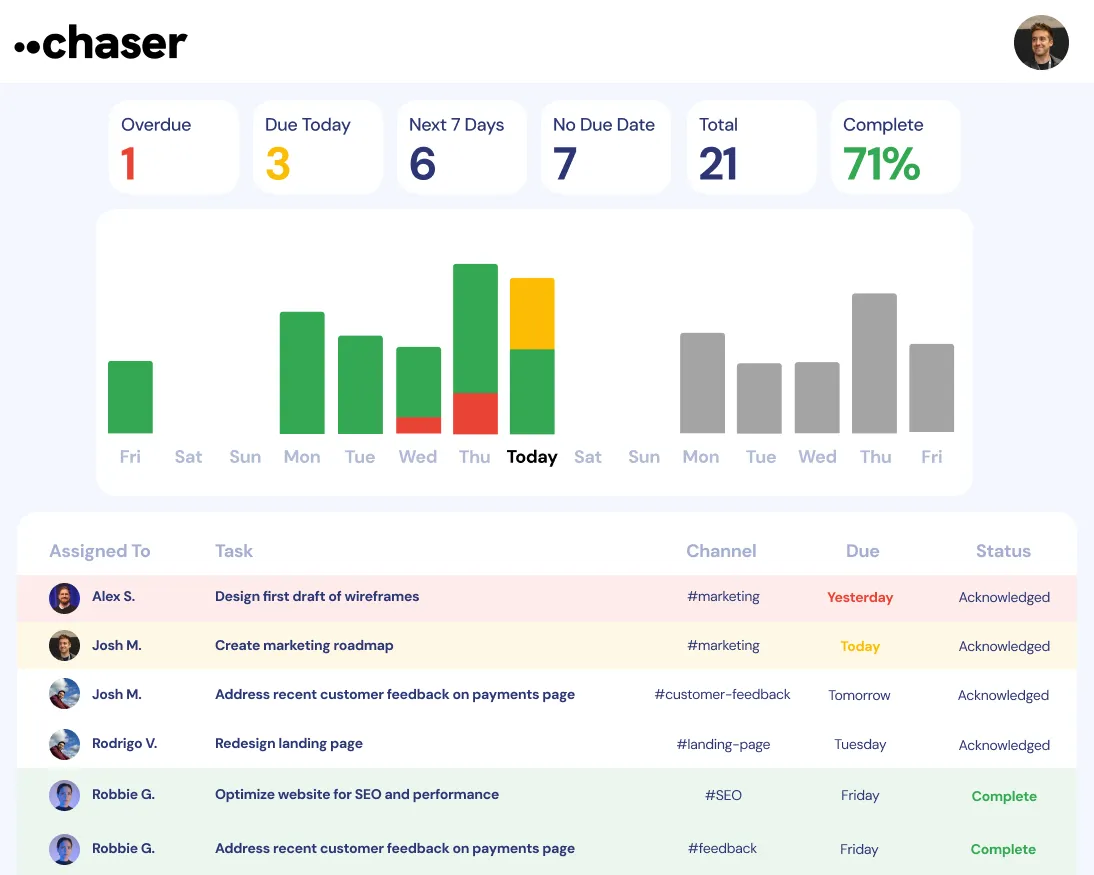
Slack, so every action item has a clear owner from the start. Real-time progress
tracking means no more manual check-ins or update-hunting.
Turn project
discussions into actionable tasks instantly. Whether you’re in a team channel or
private DM, assign tasks without disrupting workflows. No more copy-pasting to another
tool or losing action items in message threads.

Automate Project Nudges
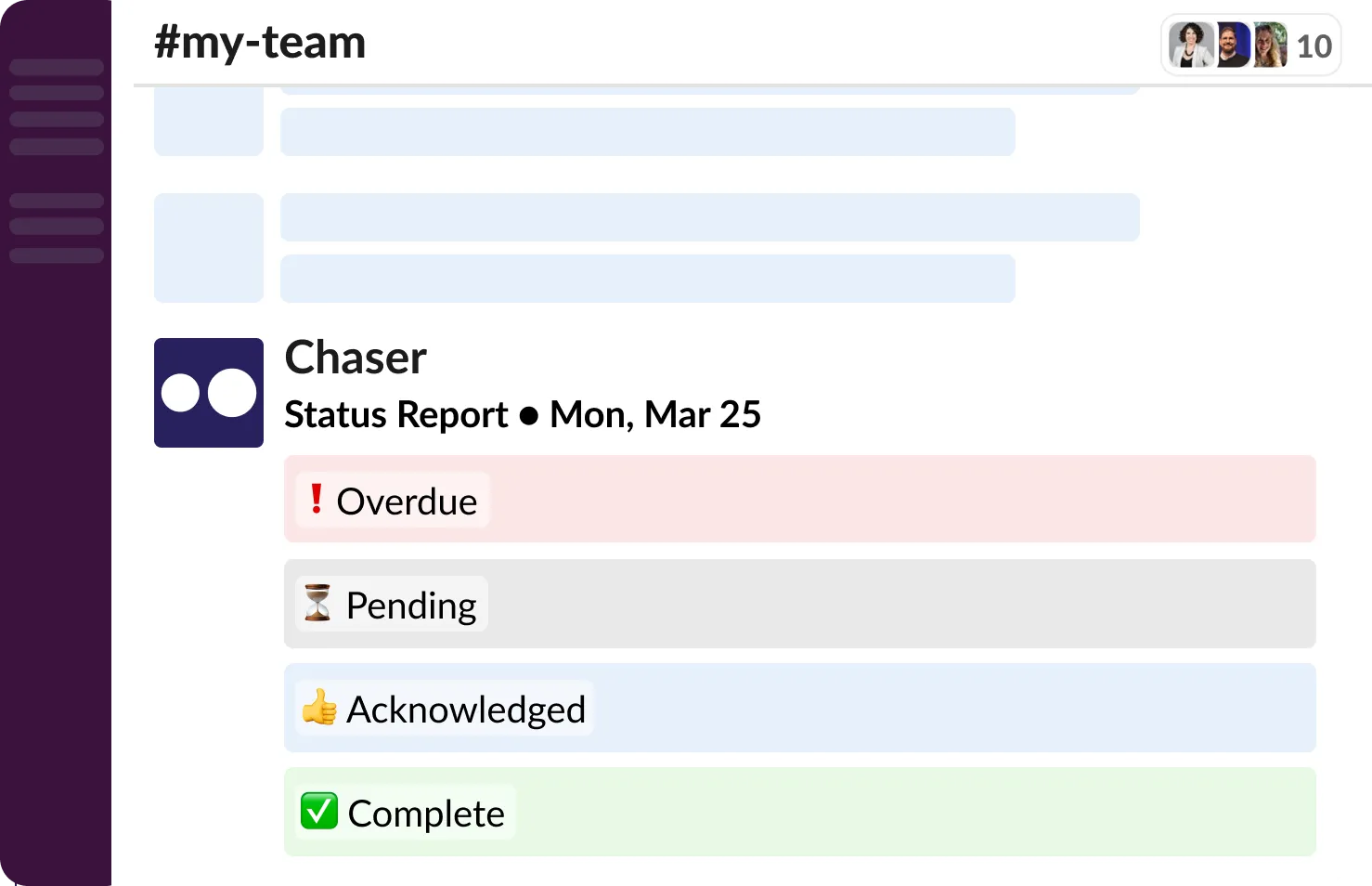
Tired of chasing people down for updates? Chaser automates follow-ups, so tasks stay
on schedule and you don’t have to be the reminder machine.
Set it and
forget it with auto-reminders for due dates. Chaser keeps your team accountable and
focused, automatically nudging when deadlines approach or work is delayed.
Get
ahead of bottlenecks. Instead of finding out something’s late after the fact, Chaser
alerts you when progress stalls—so you can jump in before issues snowball.
Keep
your team moving without feeling like a task cop. Chaser helps foster accountability
without creating tension—making your job easier and your team happier.
Track Commitments From Project Meetings
Whether it’s a team sync or a quick DM, key decisions and next steps often surface in
conversations. Chaser helps you capture and track those moments—without switching
tools.
Assign tasks on the fly during meetings or Slack discussions. No
need to log into another app—just convert the message to a task and move on.
Keep
meetings productive by following up on action items from previous check-ins. Chaser
makes it easy to track what was agreed upon and what still needs to be done.
Ensure
nothing slips through the cracks with automated reminders and check-ins. Follow up
without doing the actual follow-up.
Trusted by Project Managers Everywhere
Real feedback. Real results. Chaser keeps projects on track without adding overhead.
Capture Action Items As They Happen
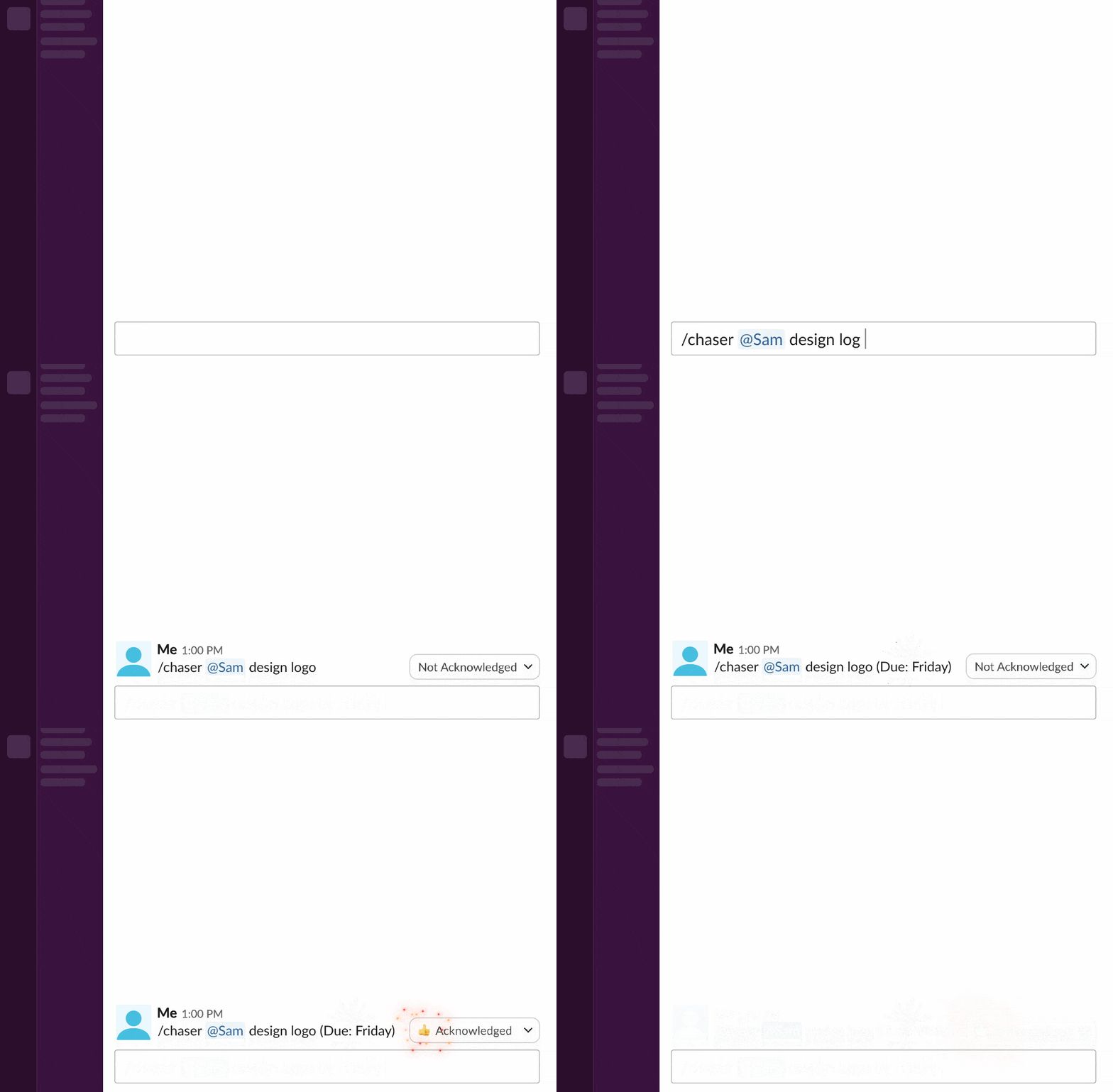
Not every project task starts in a planning doc. Chaser helps you turn real-time
discussions into actionable, trackable tasks—without breaking flow.
Convert
Slack messages into tasks in one click. From small requests to major decisions,
capture what matters before it gets buried.
Assign ownership immediately,
in channels or DMs. Chaser helps avoid ambiguity by making sure every task has a clear
owner.
Keep your project moving with less confusion. By turning discussions
into structured tasks, your team stays aligned and your projects stay on track.
Project Management That Lives in Slack
You don’t need another tool to manage your projects—just a smarter way to use the one
your team already lives in.
Manage projects end-to-end in Slack. Chaser
blends into your workflow, so there’s no need to context-switch or learn something
new.
No setup or onboarding required. Chaser works out of the box with
intuitive features your team can use right away.
Avoid app fatigue while
keeping your projects organized. Chaser simplifies project oversight without
complicating your toolstack.
Manage Projects with Less Hassle, More Impact
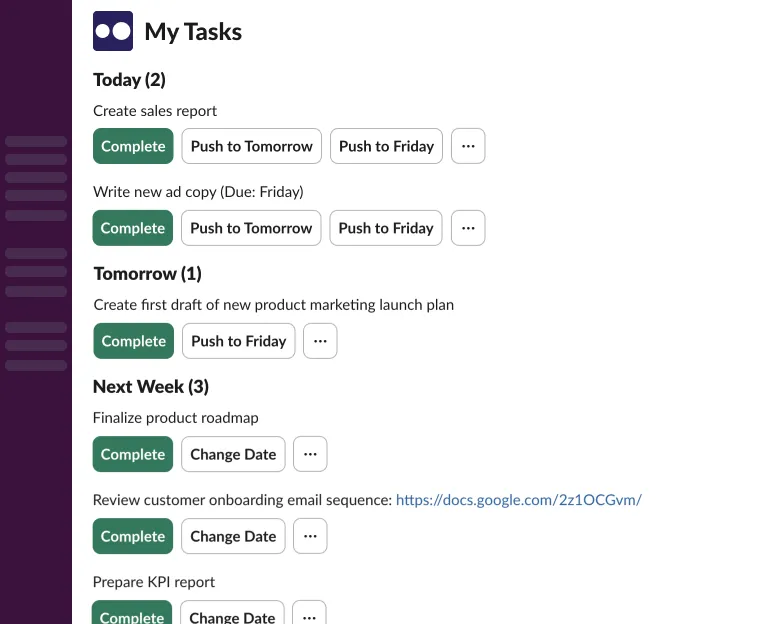
Try Chaser for free and experience effortless team management in Slack.

