Slack workflow automation means getting Slack to handle repetitive work instead of doing it by hand every time:
- routing requests
- sending scheduled messages
- collecting form responses
- and running recurring processes like onboarding or weekly reports.
There are a few different tools for it, and they cover different parts of the job.
This post explains the three main options — Slack's own Workflow Builder, cross-tool automation like Zapier, and the Chaser Slack app — what each is good for and how they fit together. Each covers a different part of the workflow, and Chaser connects them by turning requests and recurring processes into owned work with deadlines, automatic follow-up and visible completion.
Two kinds of Slack workflow
There are two types of workflow automation:
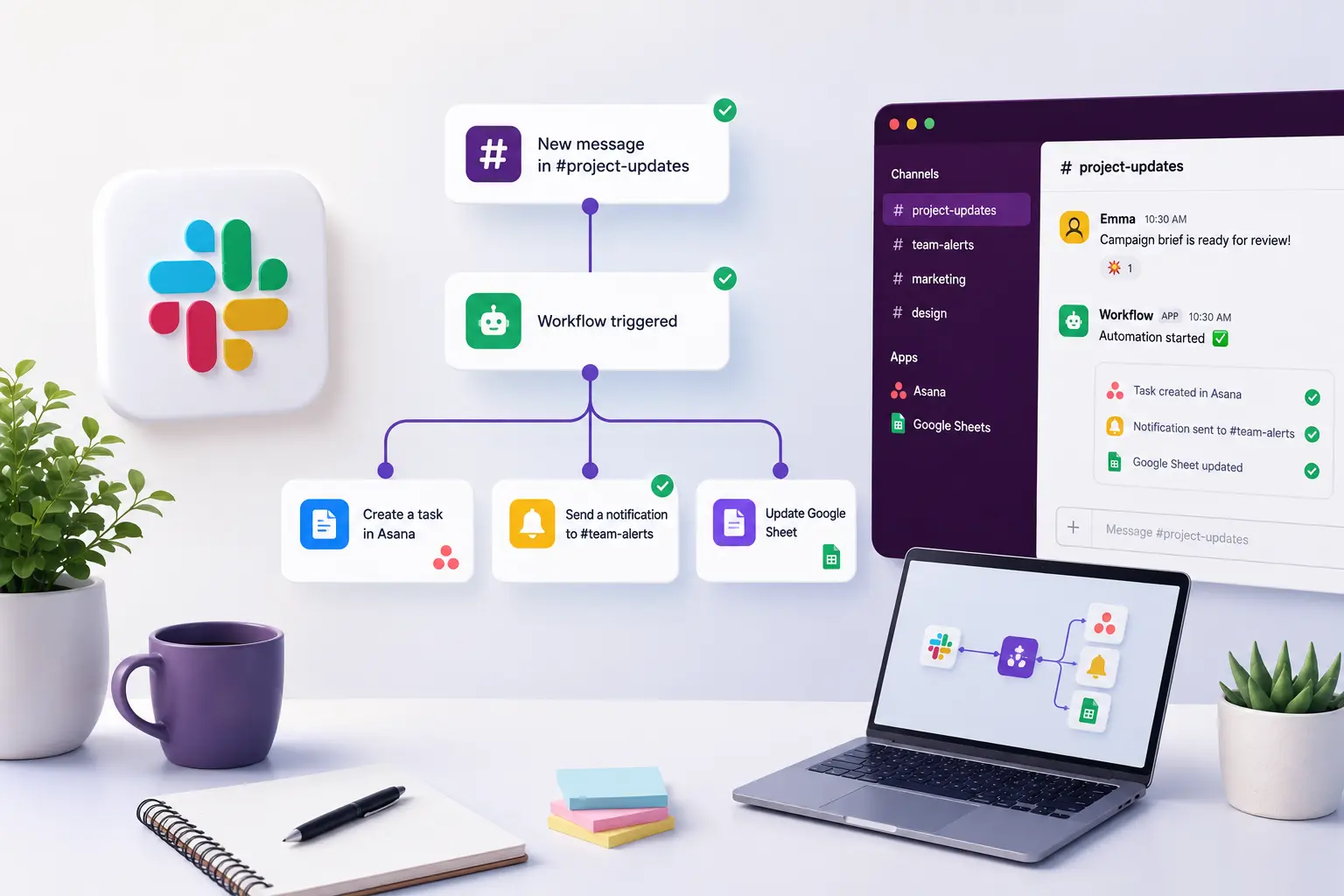
The first is moving information. A message posts when someone reacts with an emoji, a form routes a request to the right channel, a new member gets a welcome note. The trigger fires, the message goes out, and that's the whole job.
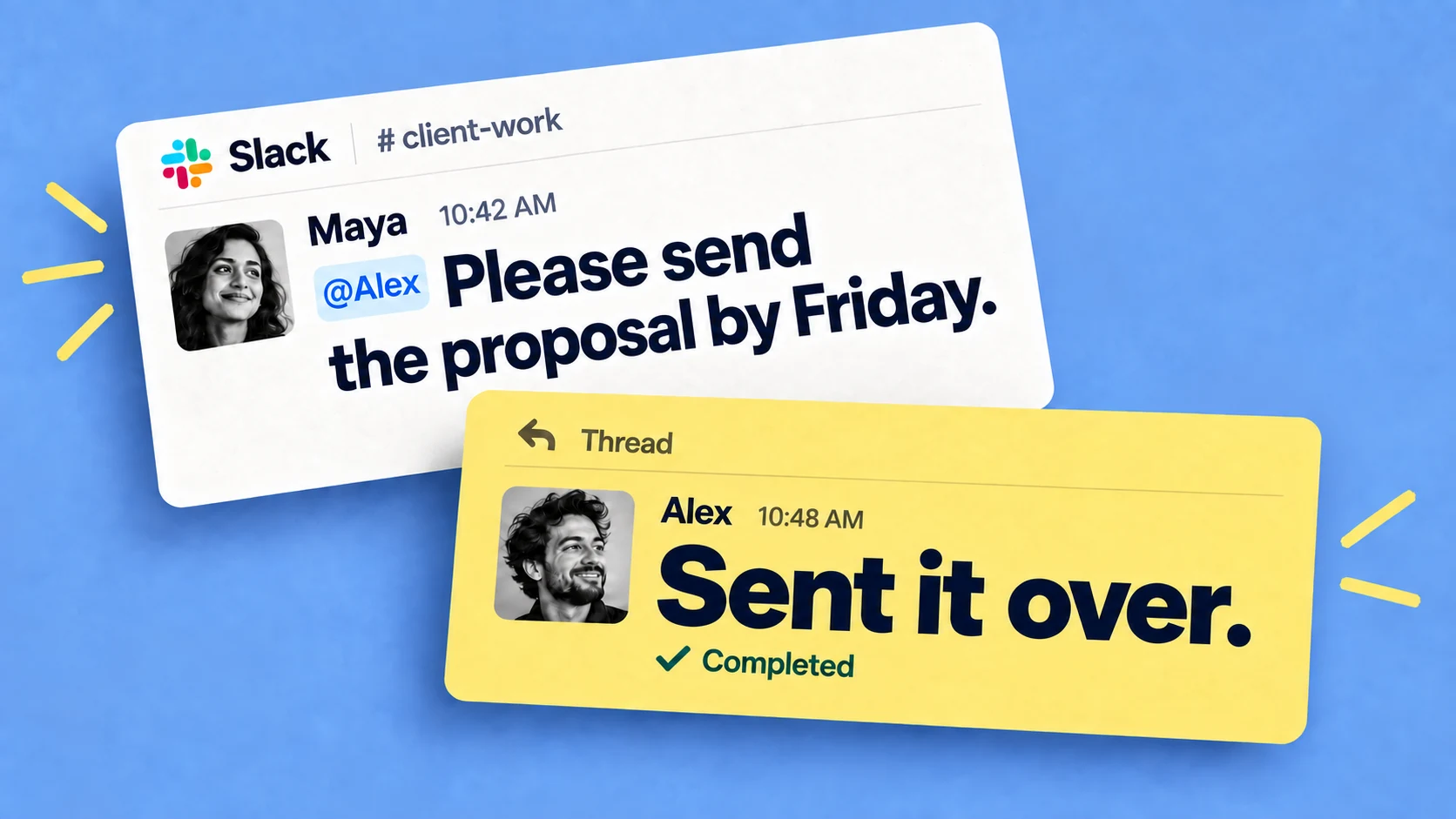
The second is work that people have to finish: collecting the weekly numbers, onboarding a client or a coworker, getting an approval through three people, etc. In this case, the message isn't the end of it - someone has to do something, usually by a deadline, and it needs tracking. The tools below split along roughly that line.
Workflow Builder
Slack ships a no-code tool, Workflow Builder, aimed at the first kind. You don't need to be a developer - Slack says nearly a million people have built a workflow with it, around 80% from non-technical backgrounds.
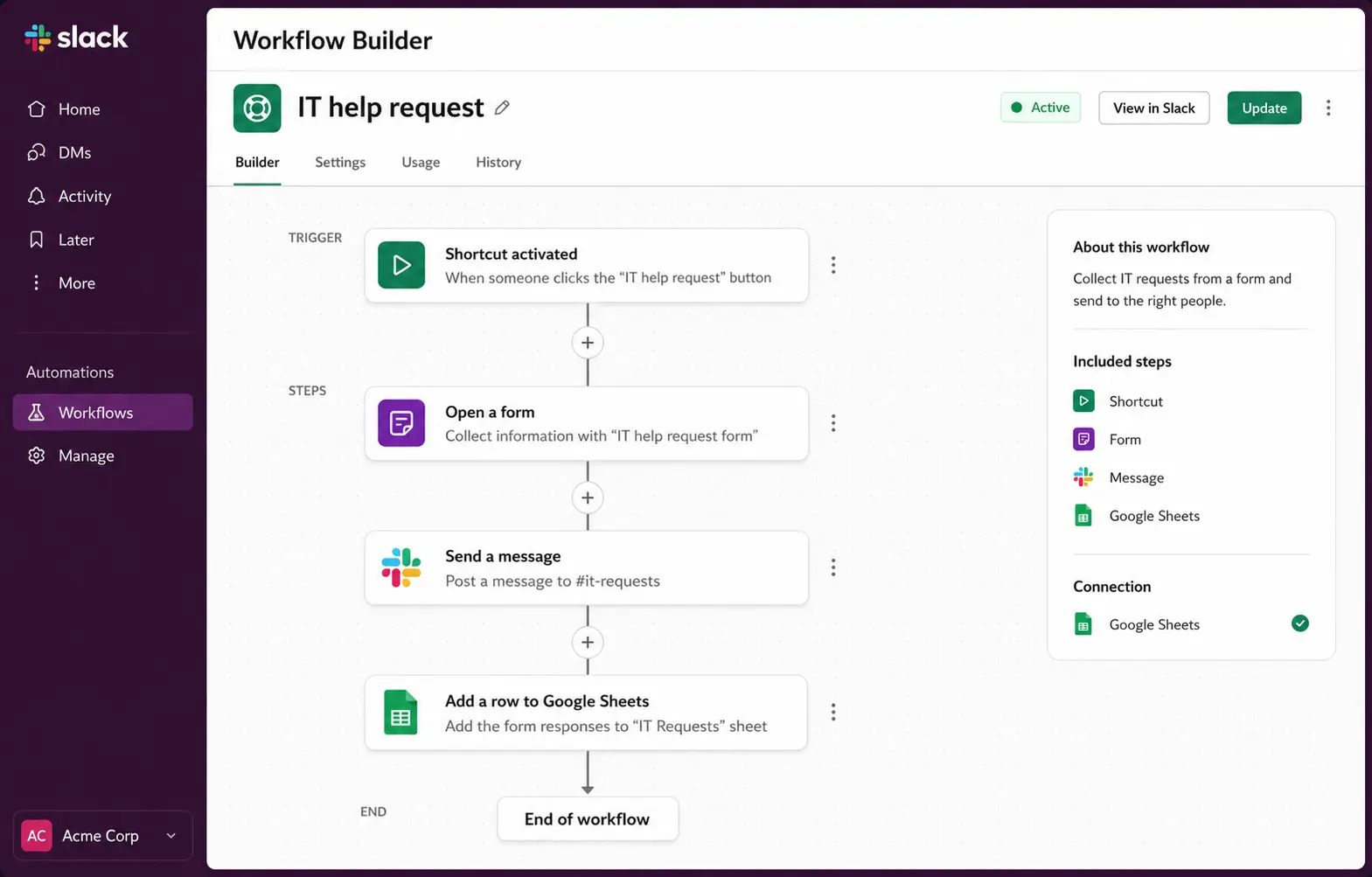
A workflow is a trigger plus a few steps. The trigger can be a scheduled time, a button, an emoji reaction or someone joining a channel. The steps send a message, collect answers with a form, or pass data to an app like Google Sheets or Salesforce. A common one: a button in #it-help opens a short form, and the request posts to the IT channel with the answers attached. It's a paid feature, on Slack's Pro, Business+ and Enterprise plans.
Workflow Builder is strong at routing and messaging. What it doesn't do is track whether the work got done. It can post "review the Q3 deck," but it won't tell you who did, chase who didn't, or show what's outstanding. For one-step notifications that's fine; for multi-person work with a deadline you need something that tracks completion. Slack's native reminders sit in the same place - useful for a personal nudge, but they fire once and don't escalate.
Zapier
When a workflow has to reach outside Slack - a form submission that should land in your CRM, a spreadsheet and Slack at once - that's what Zapier, Make and Slack's API are for. They connect apps and move data between them on a trigger. They're powerful for plumbing between systems, and they're not really meant to be the day-to-day, in-Slack place where people pick up and complete tasks. Teams often use them alongside the other two: a Zap creates the record, and something else tracks the human follow-through.
Chaser Slack App, for work people have to finish
For assigned work with owners, deadlines and follow-up, a task tool is the fit. Chaser, the tool we make, runs inside Slack and is the example here. Two parts of it matter for automation: reusable checklists and recurring tasks.
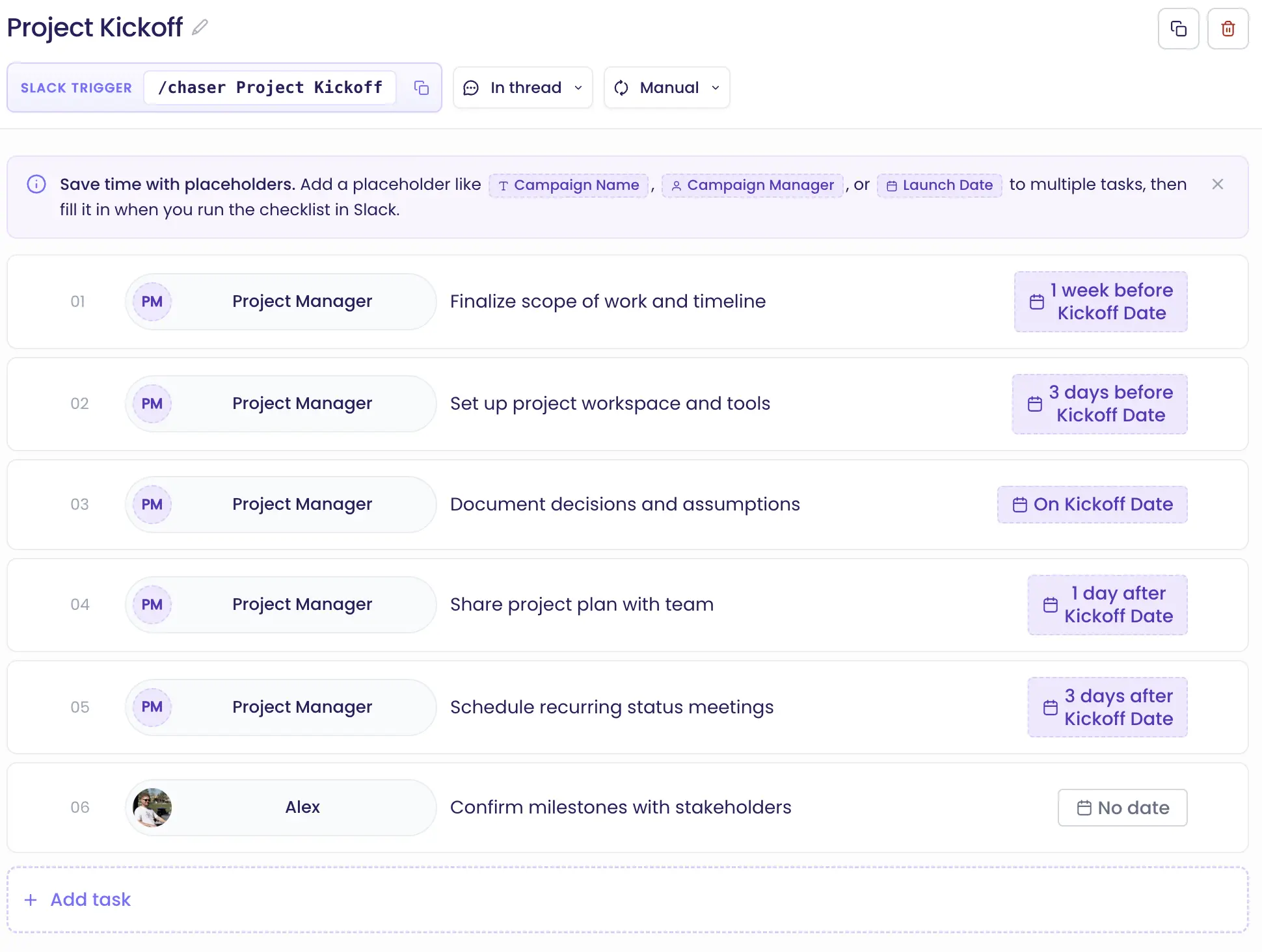
A checklist template defines a process once - the tasks, owners and due dates - and runs on demand. A command launches it, fills in the details you give it (client name, dates), and creates the tasks, each assigned. There's a walkthrough in Chaser's guide to templates, with a comparison to Slack lists and checklists.
Recurring tasks repeat on a schedule - weekly, monthly, quarterly - so a Monday check-in or a month-end close launches itself, assigned and dated. Because each task has an owner and a due date, reminders go out as deadlines approach and after they pass, so following up doesn't fall to a manager by hand.