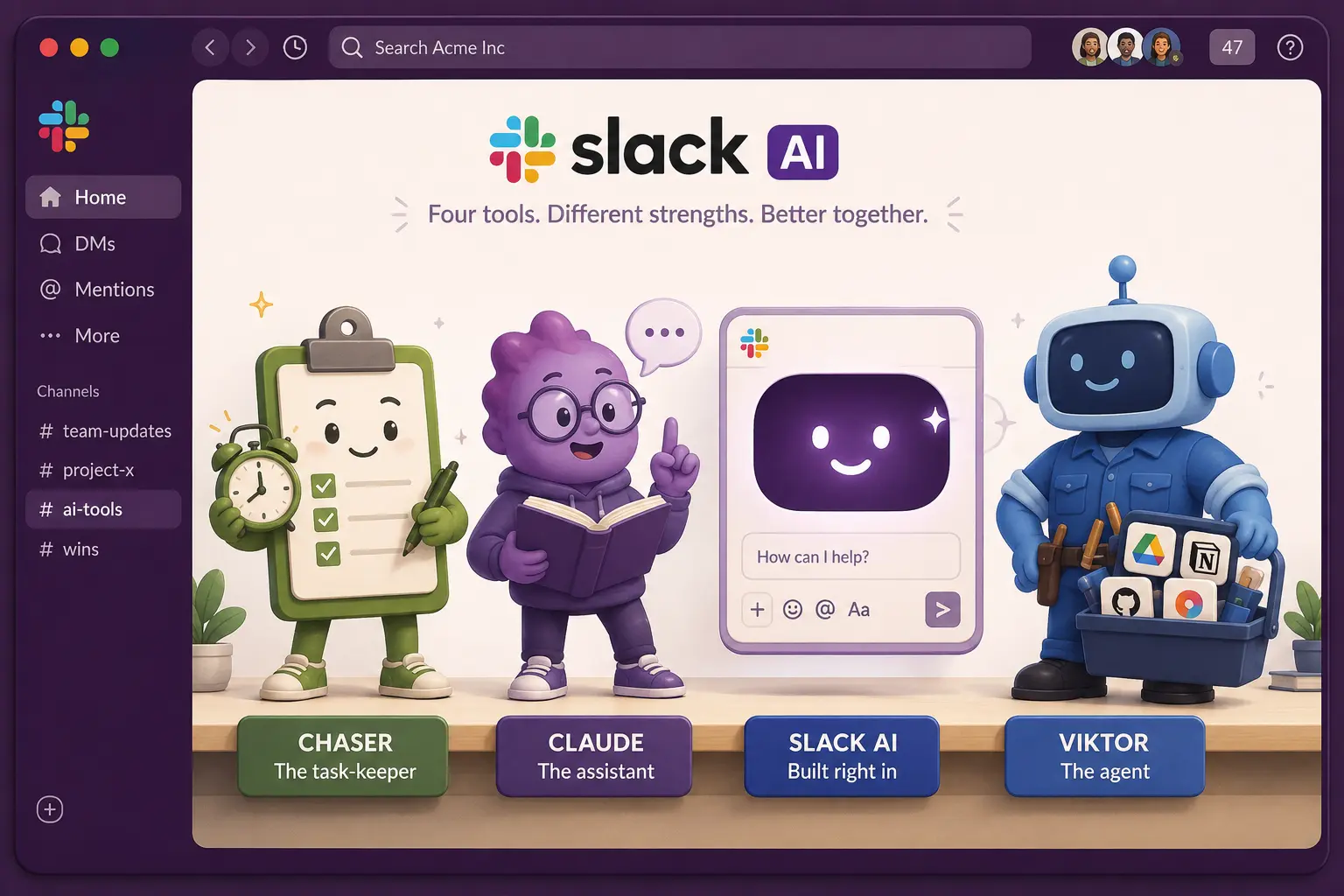

This post goes through the main Slack AI tools in 2026 — Chaser, Claude, Slack's own built-in AI, Viktor, and Runbear.
1. Chaser — task management that lives in Slack
Chaser is task and project management that runs inside Slack. You turn a message into a task without leaving the thread and Chaser handles the followups from there, reminding the assignee as the deadline approaches and after it passes, and posting status reports to a channel so progress is visible without anyone compiling them.
The other tools on this list mostly read and draft; Chaser is the one that holds the work. Every item has an assignee, a due date and automatic follow-up, so your team's commitments sit in one place that stays current because Chaser keeps after them.
You can connect Claude, ChatGPT or Perplexity to Chaser through the Model Context Protocol (MCP) — the same open standard several of these tools use to talk to each other, and then ask your assistant to assign tasks, mark complete or pull a report. The assistant works on your real, tracked tasks.
Chaser also uses AI to pull deadlines and other task details straight from your Slack messages.
There is a 14-day free trial with no credit card, then $11 per seat a month on an annual plan (or $16 month to month), with a lower rate if you buy the whole workspace; external Slack Connect guests use it free. The plans are on Chaser's pricing page.
Strengths:
- Turns real Slack messages into tracked tasks, with automatic reminders and status reports.
- Connects to Claude, ChatGPT and other assistants through MCP, so AI acts on your actual task list.
- Runs entirely inside Slack, so there's no separate app for the team to adopt.
Why teams choose Chaser:
It turns Slack messages into real, owned tasks with assignees and due dates, connects to Claude, ChatGPT and other assistants through MCP, and keeps work moving with automatic reminders, dashboards and status reports. Slack teams get immediate value because Chaser works inside the workspace they already use every day.

2. Claude — Anthropic's assistant, inside Slack
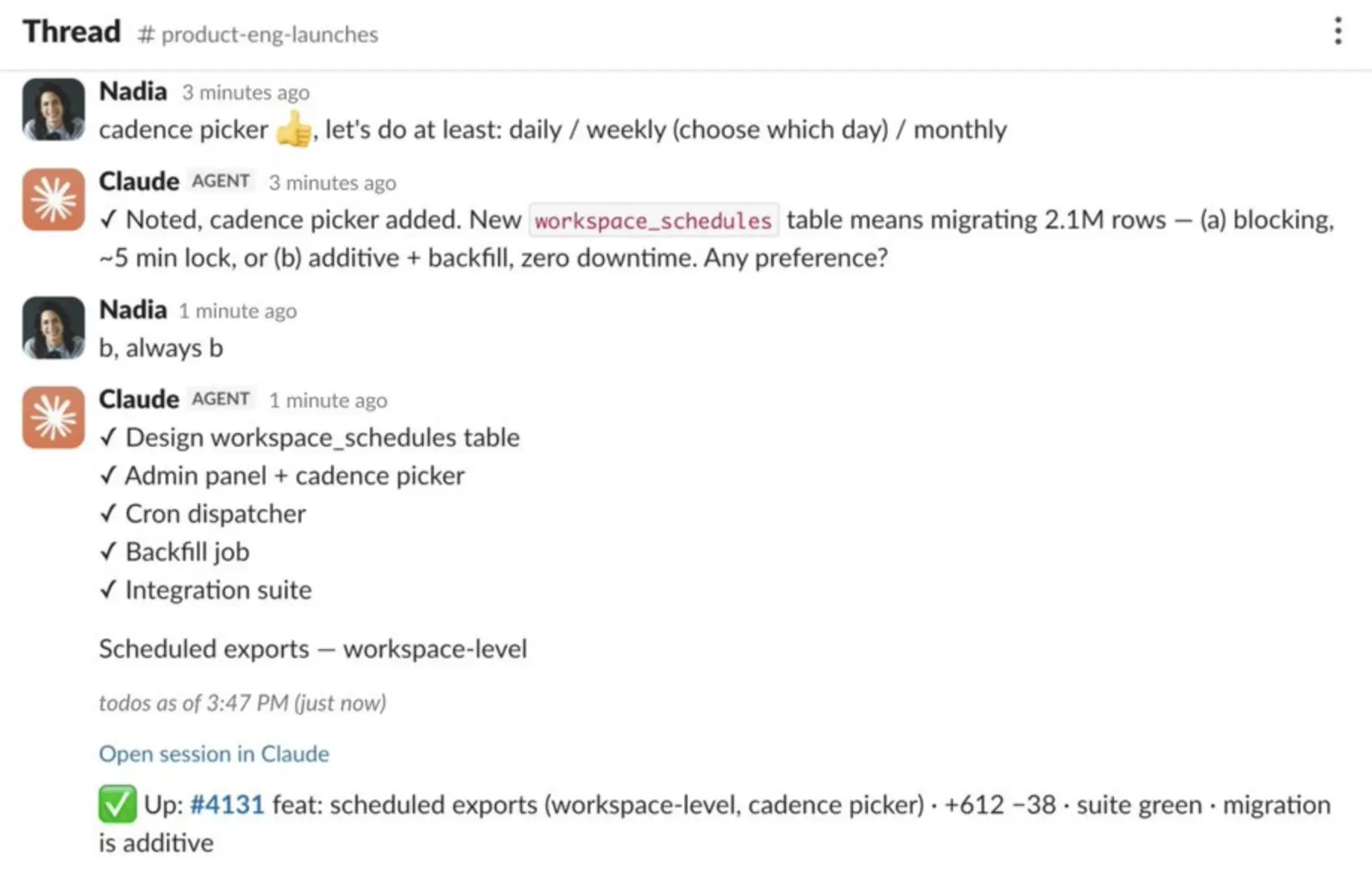
There is an official Claude app for Slack published by Anthropic. You can DM Claude, @mention it in a thread to get a reply in context, or open it in a side panel — to summarize a discussion, answer a question from the conversation, draft a reply, or analyze a PDF someone shared. It respects your Slack permissions, so it only sees channels you can see.
A Slack connector you set up inside Claude's web app (built on MCP) lets Claude search your Slack messages and files from Claude itself, which is handy for pulling context into a longer piece of work.
Claude in Slack is a general assistant: it won't create or assign tasks, set reminders or chase anyone — for that you'd connect a separate task tool through MCP, and those connections are managed in Claude's web app rather than in Slack. Its in-Slack summaries are capped at recent context, too (around the last 20 messages in a channel, 50 in a thread), so "summarize this busy channel" won't reach far back.
That's changing fast. In June 2026 Anthropic announced Claude Tag, which replaces the Claude in Slack app for Enterprise and Team customers and turns Claude into more of a teammate than an assistant. You still @mention it, but now you can hand it a whole task: it breaks the work into stages and runs through them with the tools and channels an admin has connected, and it can even schedule work for itself and stay on a project over hours or days. One Claude works per channel, so the team shares it and picks up where the last person left off, and it remembers what it learns there. An optional "ambient" mode lets it speak up on its own, flagging things from across the company and following up on threads that have gone quiet. Admins decide which tools, memory and spend it gets in each channel, and can review a log of everything it has done. It's in beta now, with launch credits for eligible organizations.
On cost, there's no extra charge for the Slack app itself, but it needs both a paid Slack plan and a paid Claude plan (Claude Pro is around $20 a month), plus admin approval to install. There's no free tier.
Strengths:
- A genuine native presence — DM, @mention in-thread, and a side panel, with replies that use conversation context.
- Strong at the assistant jobs: summarizing, answering, drafting and reading files.
- Two ways in — Claude in Slack, and a connector that lets Claude search Slack from its own app.
- Claude Tag (Enterprise/Team, June 2026) lets it run multi-step tasks and follow up on its own.
Limitations:
- Not a task tracker — even Claude Tag runs work rather than keeping a shared list of owned tasks with due dates and status.
- In-Slack summaries only see recent messages (roughly 20 in a channel, 50 in a thread).
- Requires a paid Claude plan and a paid Slack plan, plus admin approval; no free tier.
3. Slack AI — the built-in option
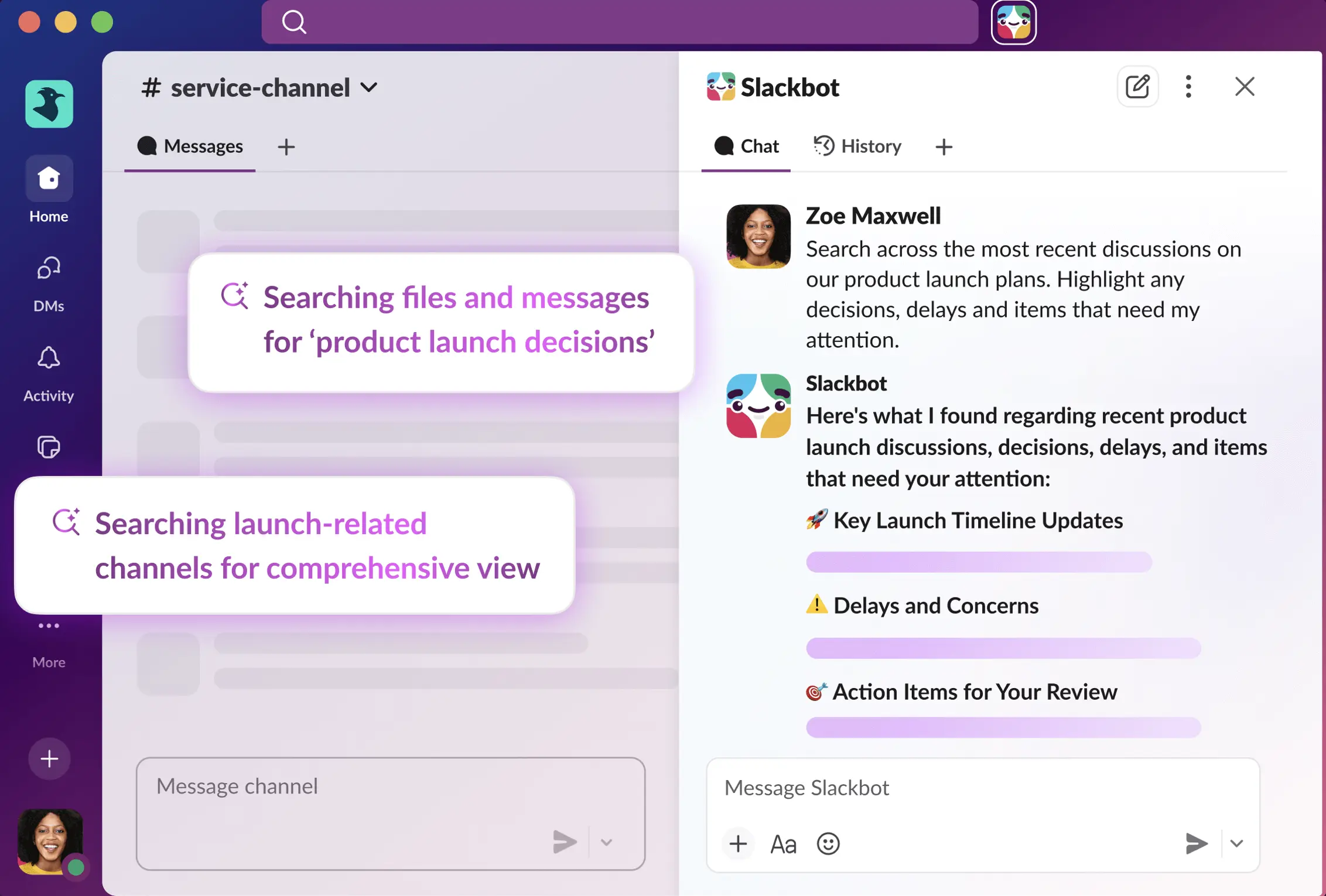
Slack has added its own AI built into its paid plans, so for a lot of teams there's nothing extra to install. It's good at the catch-up jobs: one-click summaries of a channel, DM or thread; daily recaps of channels you choose to follow; and natural-language search that returns a short, cited answer drawn from your Slack content.
Higher tiers add translations, file summaries, and an enterprise search that reaches across connected apps like Google Drive and Salesforce. Answers cite the messages they came from, and the AI only surfaces things you already have access to.
The bigger recent change is Slackbot. Slack rebuilt its old auto-responder into a personal AI agent, generally available since January 2026 and powered by Anthropic's Claude. You can ask it to search across your messages and connected apps, summarize a long document, or draft something in your tone — and it can take some actions in those apps, like updating a CRM record, without leaving the conversation. A further wave of more agentic features was announced in March 2026 and is still rolling out.
For all that, Slack's built-in AI doesn't manage work. Everything on Slack's list of AI features is summarizing, recapping, searching or drafting — none of it creates a task, assigns it to someone, or tracks whether it gets done. It can remind you about something, and Slack's built-in reminders have always done that, but it won't chase a teammate who misses a deadline. Slack also publishes a page on spotting hallucinations in Slackbot's answers — it can invent links or names — so summaries are worth a second read.
There's no ongoing AI on the free plan: Pro ($7.25 per user a month, billed annually) gets summaries and huddle notes; and the more useful features — search answers, recaps, translations and Slackbot — need Business+ ($15 per user a month), with enterprise search reserved for Enterprise+.
Strengths:
- Built in — nothing extra to install, and no longer a separate add-on to buy.
- Good at catching up: summaries, recaps and cited search over your own Slack content.
- Slackbot adds drafting, scheduling and actions in connected apps, with strong privacy defaults.
Limitations:
- No task creation, assignment, tracking or chasing of overdue work.
- The useful features sit on Business+ and above; nothing ongoing on the free plan.
- Summaries can be wrong — Slack itself warns that Slackbot can hallucinate.
4. Viktor — the AI coworker
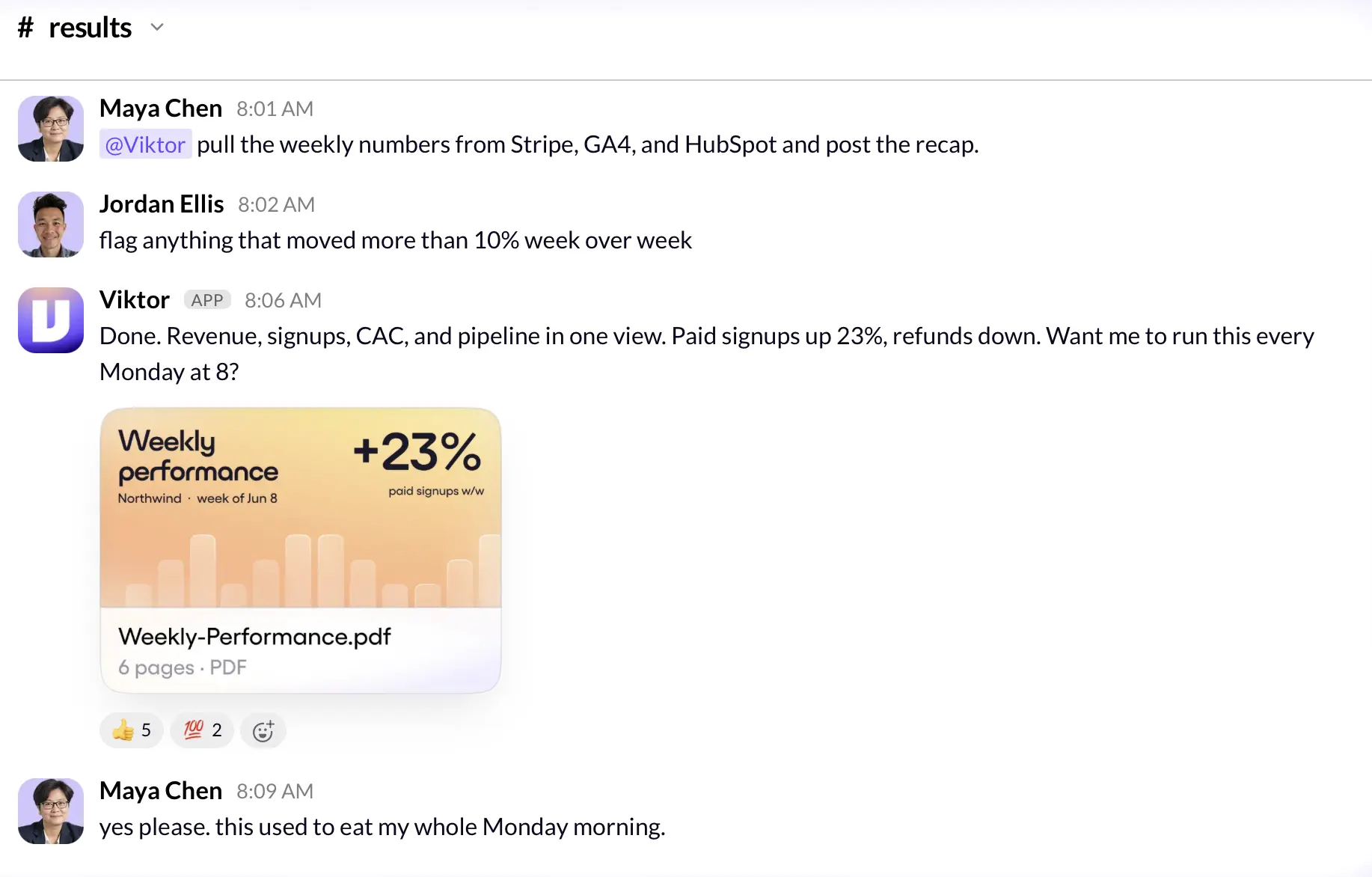
Viktor is the newest of the group and the one drawing the most attention right now. It's an "AI coworker" that lives in Slack: you message it like a colleague and it carries a task through to the end rather than just replying. Ask it to pull a report, triage incoming bugs, or build a small internal dashboard, and it works across the tools you connect to it — it advertises support for thousands of them — with its own environment to write code and run things.
It's also very new and growing fast, which cuts both ways. Viktor launched in early 2026 and raised a $75 million Series A led by Accel in May 2026, with Slack's own co-founders among the angel investors. That's a reason to look, and a reason for caution: it's an early-stage product, so picking it is a bet on a young company more than a settled choice.
Pricing is credit-based — a free tier with $100 of credits and no card, then paid plans from $50 a month — which makes cost hard to predict, since a heavy multi-tool task burns far more credits than a quick question. For well-scoped, repetitive work it can save real time; for open-ended requests, keep an eye on the meter and on what it produces, the way you would with any agent acting on its own.
Strengths:
- Genuinely agentic — it completes multi-step work, not just chat.
- Connects to a large range of tools and can write code and build small apps.
- Strong early momentum and credible backing.
Limitations:
- Credit-based pricing is unpredictable and can climb fast on heavy use.
- A young product (launched 2026), so it's an early-stage bet.
- Broad autonomy means its output needs checking.
5. Runbear — shared AI agents for Slack and Teams
Runbear lets teams set up shared AI agents in Slack or Microsoft Teams, each with its own instructions, knowledge and connected tools. They can answer questions from company docs, draft replies and run routine work on a schedule or when an event triggers it.
Business plans add per-user authentication, SAML SSO and audit logs. Eligible Enterprise customers can request a business associate agreement (BAA) for HIPAA-regulated workflows.
Paid plans start at $99 a month and use credits, so heavier workflows use more of the allowance.
How these Slack AI tools compare
None of these replaces the others; they're doing different jobs. A rough summary:
| Tool | What it's best at | Creates & tracks tasks? | Pricing |
|---|---|---|---|
| Chaser | Turning Slack messages into tracked, owned tasks with follow-up | Yes | 14-day free trial, then from $11/seat/mo |
| Claude | General assistant work: summarizing, answering, drafting | No — Claude Tag runs tasks but doesn't track them | Needs a paid Claude plan and a paid Slack plan |
| Slack AI | Catching up: summaries, recaps and cited search in Slack | No | Bundled into paid Slack plans (Business+ for most of it) |
| Viktor | Running multi-step work across many connected tools | No — it does work, doesn't track it | Credit-based; free $100 of credits, then from $50/mo |
| Runbear | Shared agents for internal Q&A and routine workflows | Through connected task tools | Credit-based; paid plans from $99/mo |
Slack's built-in AI helps teams catch up on messages, and Chaser turns the decisions and requests in those conversations into assigned tasks with due dates, visible status and automatic follow-up.
Claude is strong for reading, drafting and multi-step assistance; connect it to Chaser through MCP to act on real tasks and keep the resulting work owned, scheduled and visible in Slack.
Viktor and Runbear handle work across connected tools, while Chaser keeps the team's resulting commitments visible, assigned and moving in Slack with automatic follow-up.
And if the gap is that requests in Slack threads never become tracked, owned work, that's the job Chaser does.
Final thoughts
Most teams end up using more than one of these: an assistant for reading and drafting, and a task tool to hold the work that comes out of it. For Slack tools beyond AI, this rundown of the best Slack apps covers more ground.
If the piece you're missing is turning Slack messages into tracked, followed-up work, that's what Chaser does, and you can try it for free. Get started and add Chaser to Slack, for free.


