Connect Chaser to your AI agent
Let ChatGPT, Claude, and other AI agents assign tasks, run reports, and more.
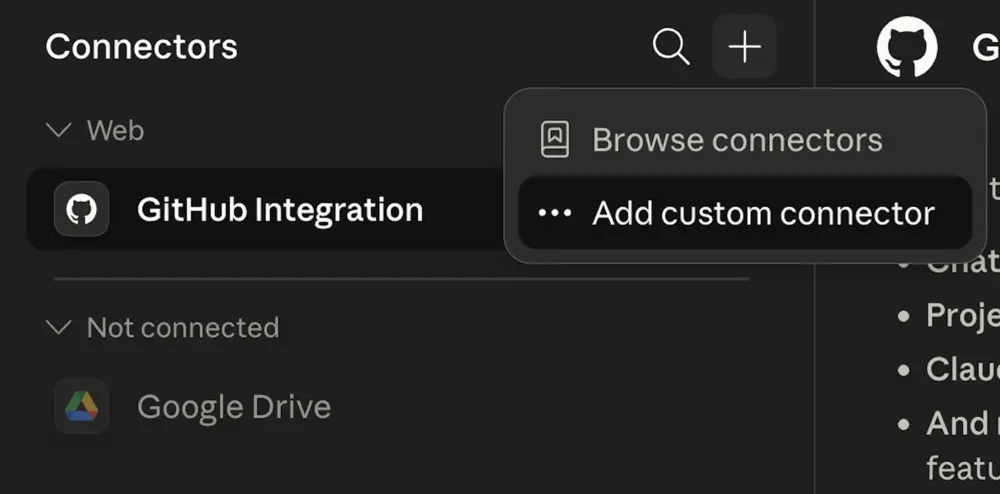
Open Connector Settings (or click here) then click the + and select Add custom connector
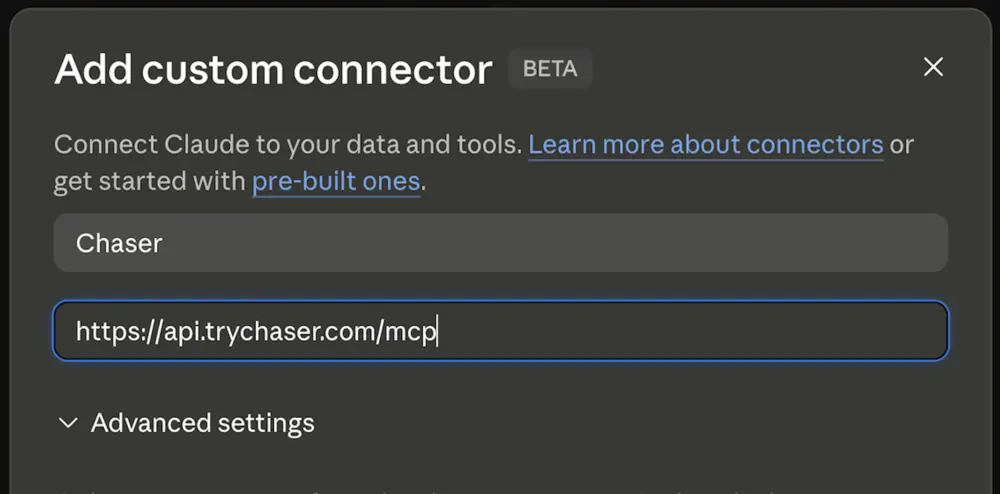
Fill in details:
Name: Chaser
URL:
https://api.trychaser.com/mcp
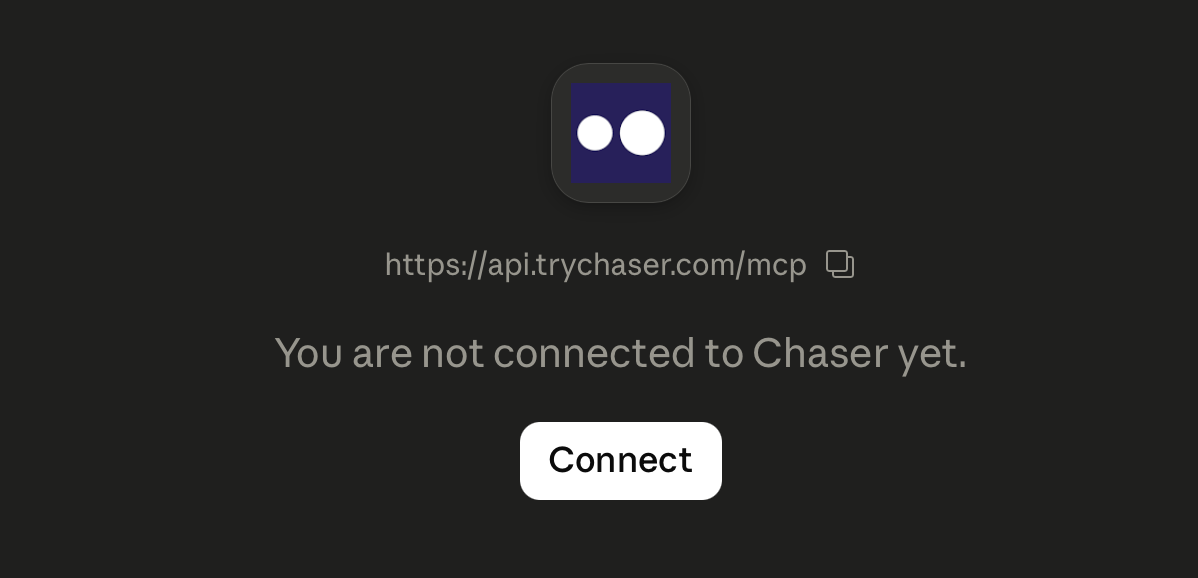
Press “Connect” and log in!
What you can do with Chaser's MCP Server
Read and write tasks
Your AI can both see your tasks and change them.
Assign tasks in Slack
Create tasks and assign them to yourself or a coworker without leaving your AI
conversation. They land in Slack like any other Chaser task.
Edit tasks
Adjust due dates and reassign owners as plans change.
Mark tasks complete
Close out work by telling your AI it's done.
Generate custom reporting
Your AI reads your task data to build the exact report you need.
Chaser
keeps a full history of every task, so your AI can see which tasks were ever overdue,
not only which are overdue right now. Ask "Where do we get the most overdue tasks?" and
get an answer grounded in your real history.
Example prompts
Paste these into Claude, ChatGPT, or any MCP-connected AI tool:
- Turn these meeting notes into tasks and assign them to me.
- Mark all tasks related to the website redesign complete.
- Show me every task related to a bug that's overdue right now.
- Which channels generate the most overdue tasks this quarter?
- Summarize what @sarah has on her plate this week.
Looking to connect Cursor, Perplexity, or other AI agents?
Simply copy-paste this into your favorite AI tool:
Connect me to Chaser (a Slack-native task management tool) via MCP. The server URL is
https://api.trychaser.com/mcp. Give me
step-by-step setup instructions.

