

Collaborative task management is basically when more than one person needs to see a task or act on it. That's a different requirement from personal productivity.
(If you're choosing for one person rather than a team, this guide to task management software for individuals is the better starting point)
This post covers what to look for in a collaborative task management tool, then runs through the main options — Asana, Monday.com, ClickUp, Trello, Notion, the engineering trackers, plain spreadsheets, and other tools.
What collaborative task management needs from a tool
Strip the feature lists away and a tool earns the word "collaborative" by doing a handful of things well:
- Shared visibility.
- Clear ownership. One name on each task so nobody assumes someone else has it
- Discussion attached to the work. The questions and decisions about a task sit on the task
- The right people kept in the loop. @mentions, followers, or notifications
- Follow-up. making sure the task gets done
- Adoption. If part of the team won't open the tool, the shared view is wrong
That last one decides more than the feature comparison does. The authors of the Agile Manifesto put individuals and interactions over processes and tools back in 2001: a tool only keeps an accurate picture of the work while the whole team actually uses it.
The board and list tools: Asana, Monday, ClickUp, Trello
When people say "team task management," this is usually the category they mean. Each tool gives you shared boards or lists where work is assigned to a person and moved through stages, with comments, @mentions, and an activity history on every task.
For the core collaboration job — several people working a board they can all read, talking on the cards — they're strong, because that's what they were built for.
Trello is the lightest: a board of cards anyone can read in seconds, good for a small team that wants a visible queue and not much more.
Asana and Monday.com sit in the middle, readable enough that mixed departments tend to adopt them quickly — in ZDNET's testing Asana is the one the reviewer keeps returning to for cross-functional work. ClickUp packs the most into one place and asks you to configure it to match. The head-to-heads are covered in this comparison of Asana and Monday, and this survey of ClickUp alternatives is worth a look if it turns out heavier than your team needs.
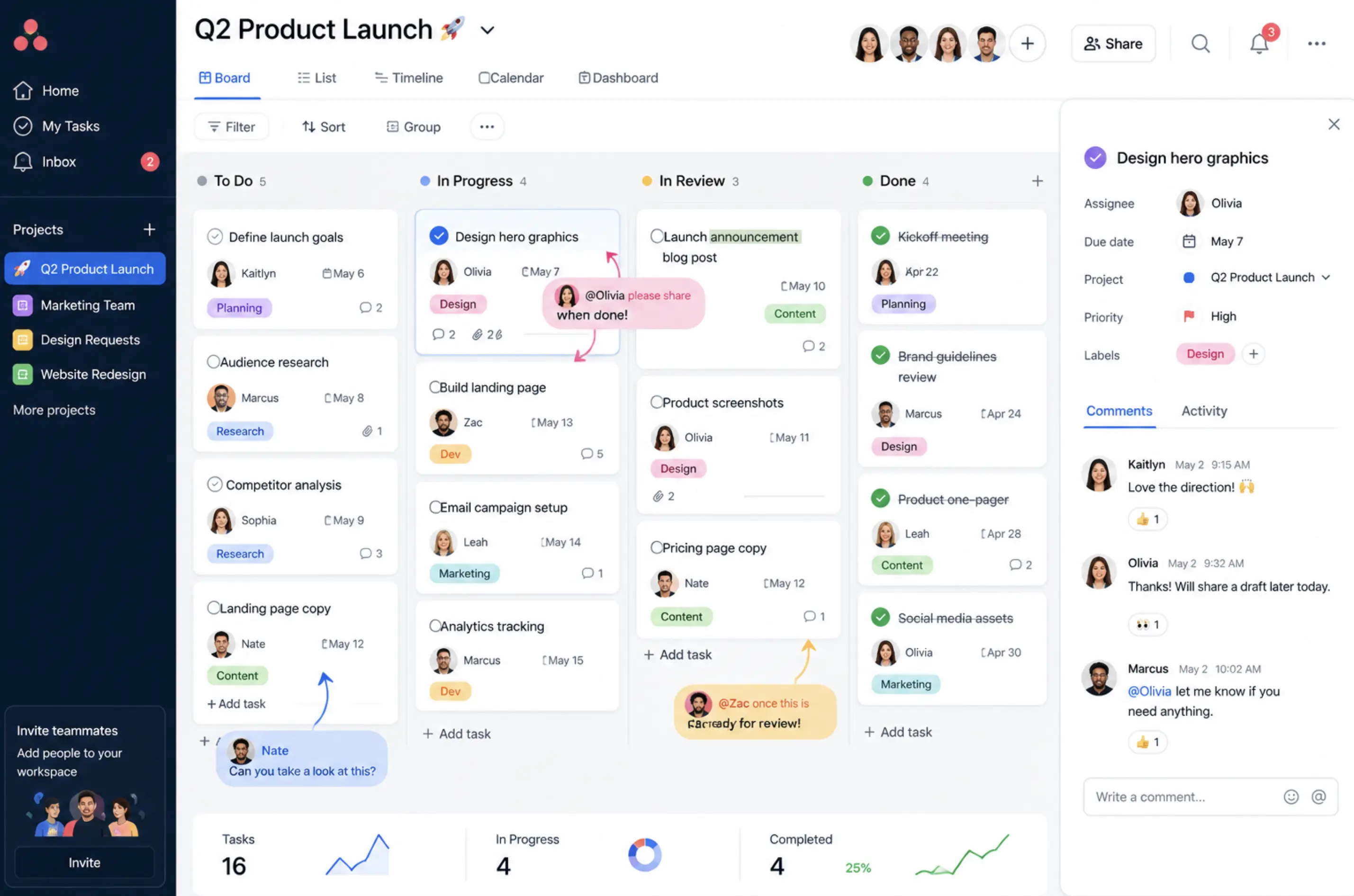
The friction is the same across all four: the board lives in one app and the team's conversation happens in another, so every task means leaving the chat, opening a tool. When that step gets skipped on a busy day, the request stays a message in a channel and the board shows last week's state.
Notion, the engineering trackers, and spreadsheets
Notion combines docs, wikis, and databases in one shared workspace, so a team can keep its tasks next to the notes and specs they relate to. Collaboration on the writing side is strong — shared pages, inline comments, real-time editing.
It's not as strong on the automation side: reminders and notifications exist but aren't the point of the product, so Notion fits teams whose work is more document than deadline.
Jira and Linear are built for software teams, organizing work into issues, sprints, and backlogs. For a marketing or operations team they're more structure than the work calls for, which is why most shortlists pair them with a lighter tool for everyone outside engineering.
A shared spreadsheet is the collaborative task tool most teams already have. Several people can edit at once, leave comments, and see the whole list, which is plenty for a small group. What it lacks is enforcement of ownership, reminders, so it holds up for a while and then strains as the team and the list grow.
When the team works in Slack
If most of your team's coordination already happens in Slack, the gap in every option above is the same: the work gets discussed in one place and tracked in another. Slack can cover some of this natively: a channel per project keeps each effort's discussion together, threads are used to discuss specific topics and you can pin the messages that capture a decision. Also the built-in /remind command handles a simple personal nudge.
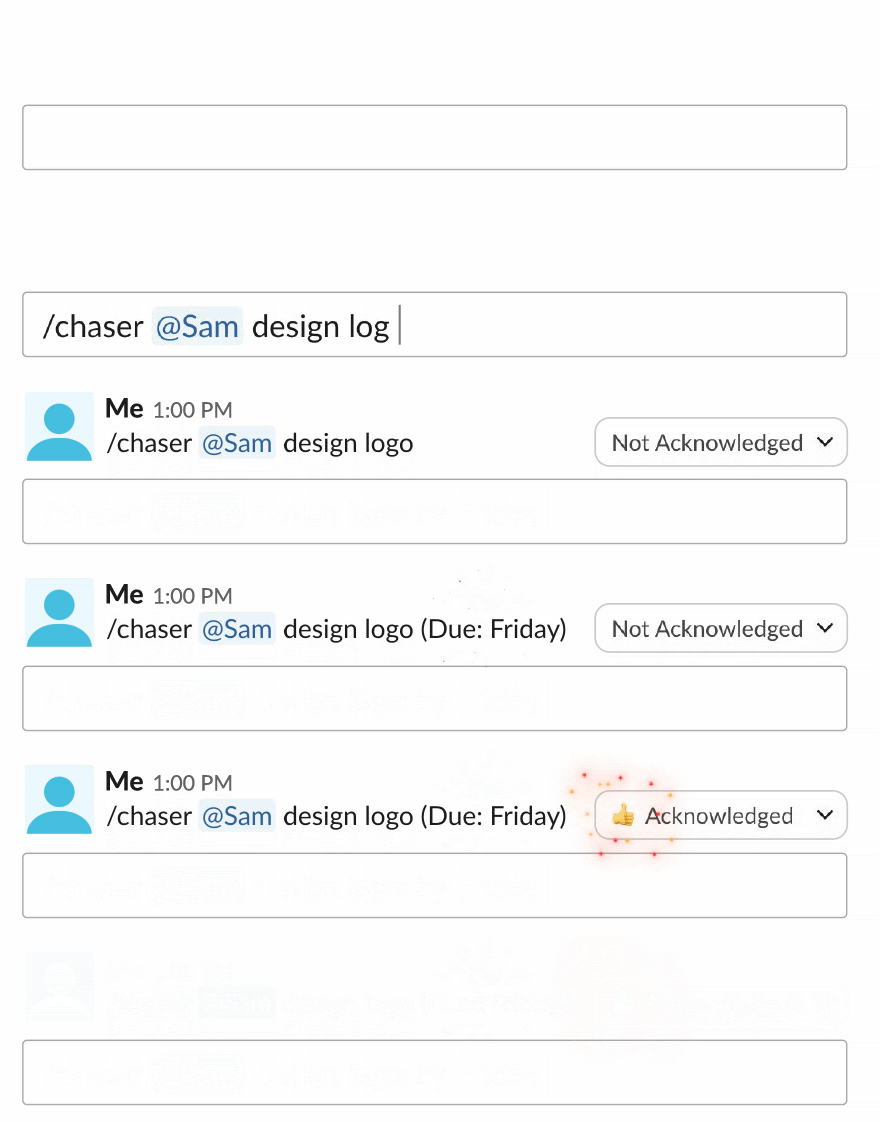
Native Slack runs out where shared action items really need to be tracked. A /remind is private and fires once: it records no owner, doesn't track whether the work got done, and nobody else can see it. Chaser works inside Slack — you turn a message into a task with an owner and a due date from the message menu, and it follows up on its own, reminding the assignee before the due date, on the day, and every day after until it's done.
You can assign one task to a group of people and Chaser follows up with each person until everyone's done their part. You can add followers to a task so the people who care get updates without being assigned it. The dashboard and the scheduled status reports both live in Slack, so the shared view sits in the channel the team already reads. And because it supports Slack Connect, you can assign tasks to clients or vendors in a shared channel without them buying a seat!
There's a fuller walkthrough in this guide to task management in Slack.
How to choose
No single tool wins this, because "collaborative" covers a marketing team, an engineering team, and a client project that all work differently. The work decides:
- Engineers shipping software — Jira or Linear
- Mixed departments that want something legible — Asana or Monday.com
- One deep tool to replace several — ClickUp or Notion, if you have someone to set it up
- A small team that just needs a visible queue — Trello, or a shared spreadsheet.
- A team that runs its day in Slack — Chaser, a Slack-native tracker
Whichever way you lean, weigh adoption as heavily as features, since the tool that stays accurate is the one the team actually opens. It's also worth asking whether you need a dedicated tool at all — this guide to choosing a project management tool works through that question, including the case where the answer is a shared channel and nothing more.
Final thoughts
Collaborative task management comes down to keeping one shared, current answer to who's doing what by when, somewhere the whole team will actually look. For a team that already lives in Slack, the tracker that sits in the conversation is the one most likely to stay up to date.
You can try Chaser for free and see how it fits the way your team already works in Slack. Get started and add Chaser to Slack, for free.




