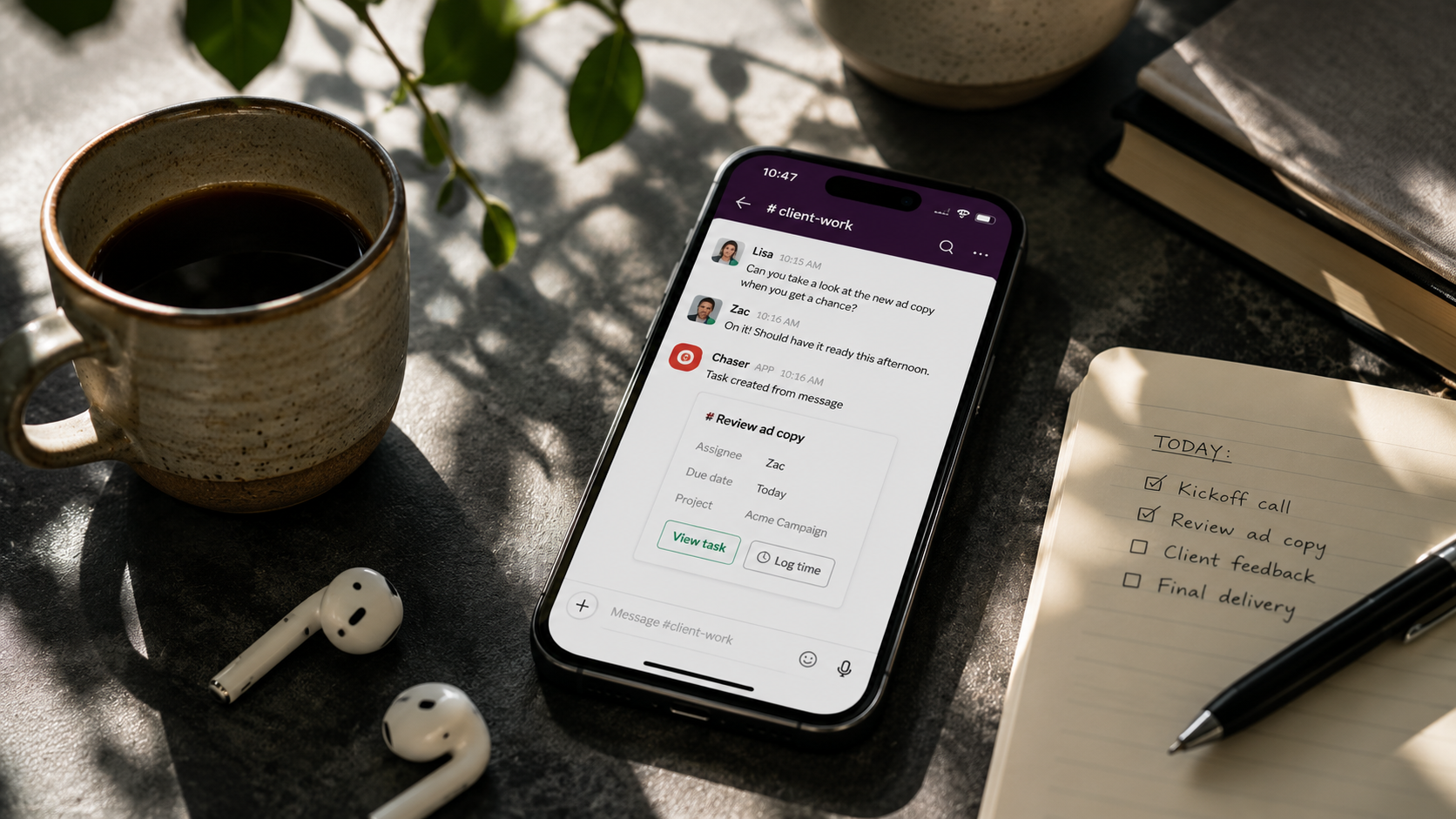

You can track tasks, projects, and time, billable hours included, directly in Slack. Your team already discusses the work in Slack, the tracking can happen in the same place, and the hours end up in a spreadsheet you can report on.
What teams track time for
Teams usually track time for one of a few reasons:
- Billing clients.
- Paying people
- Estimating better.
- Seeing where the week goes. Logged hours show which client takes the most time, or how much of a sprint went to support interruptions.
Time tracking in Slack with Chaser
Chaser is an extension of Slack for managing tasks: work gets created from messages, assigned, and followed up inside Slack itself. Time tracking is part of that, so hours get logged against tasks in the same channels where the work is discussed:
1. Turn messages into tasks
Any Slack message can become a task with an owner and a due date. A client asks for a revised proposal in a shared channel; you convert that message into a task assigned to Maria, due Thursday, and it stays attached to the conversation it came from. That flow is the core of this guide to task management in Slack, and it matters here because the task is the thing hours get logged against.

2. Log hours on the task
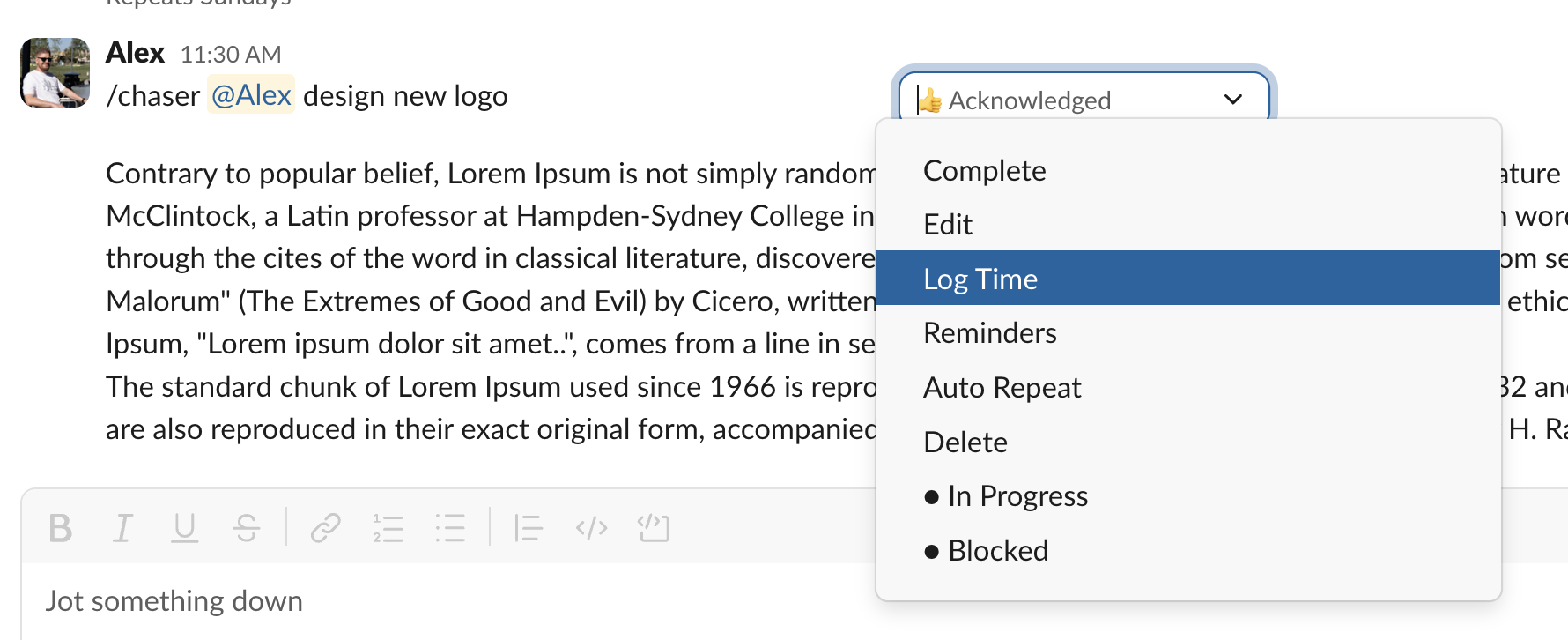
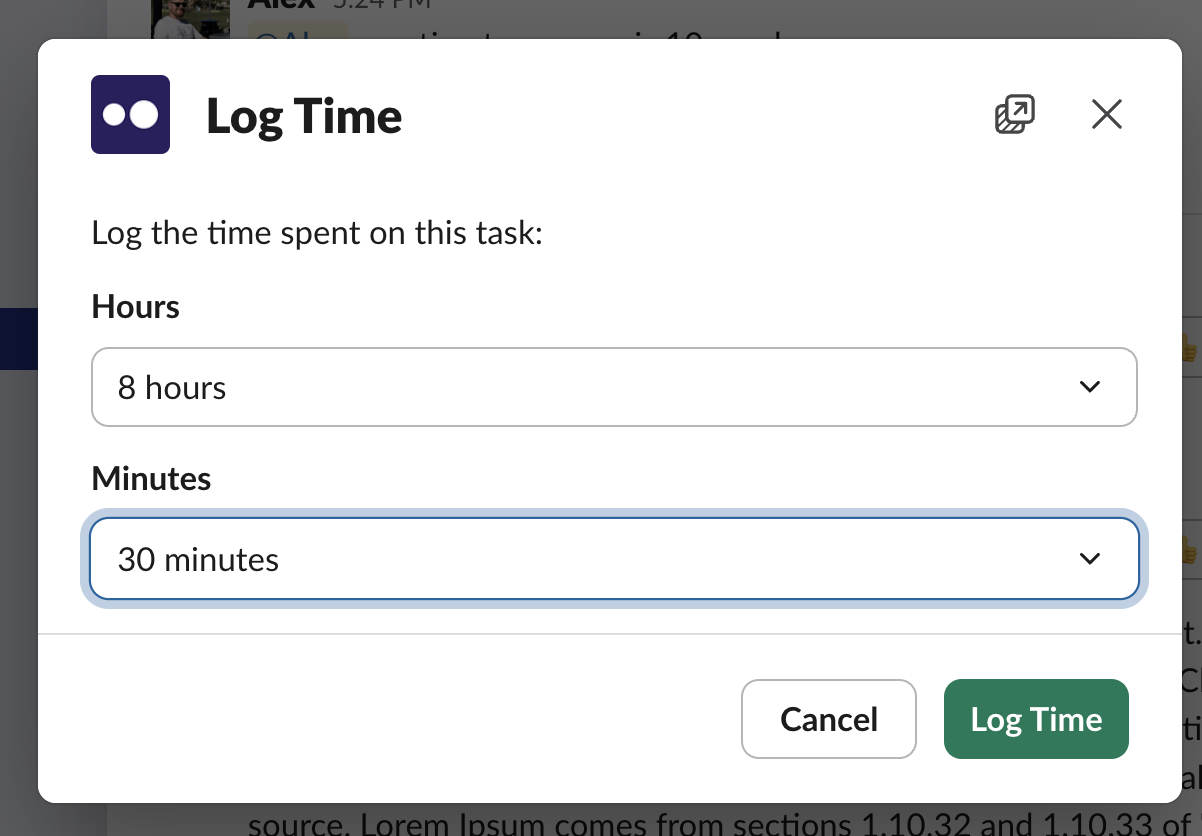
With time tracking enabled, anyone can log hours on a task without leaving Slack: half an hour against the proposal revision, logged right after the call. It takes a few seconds in the task itself, and since the person is already in the channel, there's no timesheet to reconstruct on Friday afternoon.
3. Read the report
Logged time flows into a Google spreadsheet that updates in real time, with hours broken down by person, task, or tag. Because it's an ordinary Google Sheet, custom reporting is as simple as adding a tab: pivot the hours by client for invoicing, or share the sheet with a client who wants to see where the time went. This guide to Slack analytics covers the wider reporting picture, including status reports and dashboards.
Final thoughts
Whichever tool you pick, time tracking only works if logging is quick enough that people keep doing it — an HBR study found hours mostly go unlogged because recording them is tedious. If your team spends the day in Slack, logging time next to the task takes a few seconds, and the spreadsheet is up to date whenever someone asks where the hours went.
You can try Chaser for free and see how it fits the way your team already works in Slack. Get started and add Chaser to Slack, for free.