Monday vs ClickUp: Which One Fits How Your Team Works
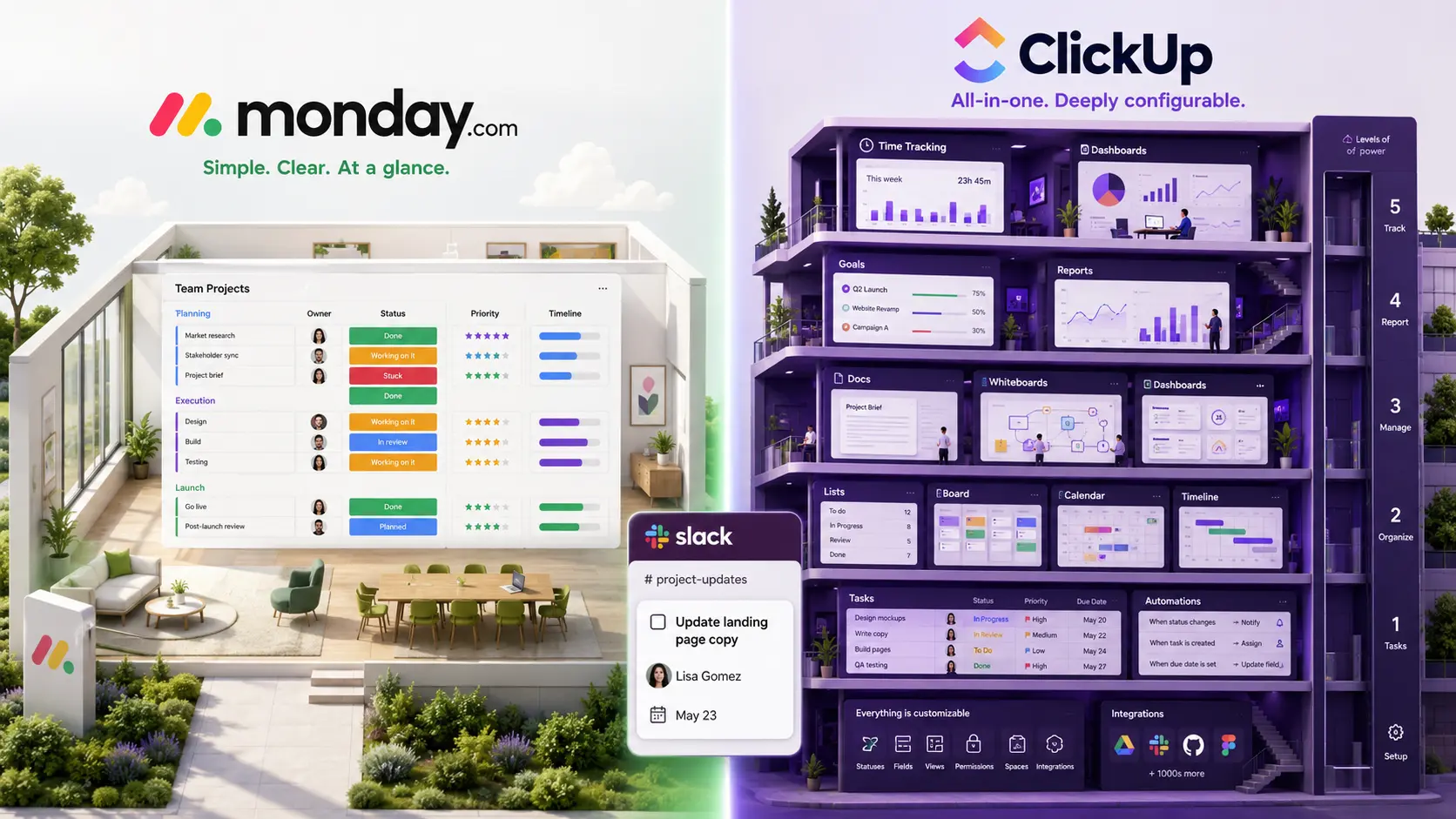

Monday.com gives you boards you design column by column, kept deliberately easy to read.
ClickUp gives you almost everything — tasks, docs, whiteboards, goals, chat, time tracking — inside a deep hierarchy you configure yourself.
This post goes through how each one structures work, where the features and pricing actually differ, which teams each suits, and what changes if your team does most of its coordinating in Slack.
Monday.com
Teams that run on repeatable processes — intake queues, approval flows, client onboarding, campaign trackers — tend to like Monday.com, because the board can mirror the process exactly instead of approximating it with someone else's task model.
The limits show up in two places. First, depth: dependencies exist, but only as a column on the Pro plan and up, and they're lighter than a dedicated planning tool's. Second, maintenance: Monday boards tend to accumulate columns and automations over time, and someone has to own tidying them up or the board drifts from how the team actually works. If you're weighing Monday against the wider field, this rundown of Monday.com alternatives covers the neighbors, and this comparison of Asana and Monday covers the other obvious head-to-head.
ClickUp
ClickUp suits teams willing to invest in it. One subscription covers what would otherwise be a separate task tool, docs tool, whiteboard and time tracker, and the price per seat is low for that much product.
PCMag's review rates it a capable work management app but notes the sheer number of tools can feel overwhelming for new users, and the learning curve is measured in weeks rather than days. Larger workspaces have also drawn years of user reports about lag. If ClickUp turns out to be more than you need, this survey of ClickUp alternatives walks the lighter options.
Feature comparison
| Monday.com | ClickUp | |
|---|---|---|
| Core model | Customizable boards of items with user-defined columns | Tasks in a Space > Folder > List hierarchy, plus docs, goals and whiteboards |
| Views | Table, Kanban, timeline, calendar, chart, map, workload | 15+, including list, board, Gantt, calendar, timeline, mind map, workload |
| Dependencies | Dependency column on Pro and Enterprise only | Built in on all plans, including the free tier |
| Bundled tools | Boards, dashboards, docs and forms | Docs, whiteboards, goals, chat and time tracking included |
| Automation | No automations on Basic; 250 actions/month on Standard, 25,000 on Pro | 100 actions/month on Free, 1,000 on Unlimited, far more on Business |
| Entry paid price | Basic, $9/seat/month billed annually | Unlimited, $7/seat/month billed annually |
| Free plan | Capped at 2 seats and 3 boards | Unlimited members and tasks, with storage and feature limits |
| Seat rules | 3-seat minimum on all paid plans; buckets of 5 above that | No seat minimum; pay for the seats you use |
| Learning curve | Easy to read, but someone has to design and maintain the boards | Powerful but heavy; setup and onboarding take longer |
How to choose between them
Both tools can hold a list of who's doing what by when:
- Mixed departments that want something legible — marketing, ops, finance and project managers sharing one tool — lean Monday. The boards are immediate to read, and each team can shape its own without much training.
- Operations-heavy teams and agencies running many parallel workstreams lean ClickUp. The deep hierarchy and reusable templates scale to a lot of clients or projects, and dependencies and Gantt views come standard.
- Teams that want one tool to replace several — task tracker, docs, whiteboards, time tracking — lean ClickUp, since that bundling is the whole point of the product. Teams that want a tracker they can read in a meeting without a tour lean Monday.
- Very small teams should price both properly. Monday's three-seat floor and five-seat buckets make it the more expensive option below about five people, and ClickUp's free plan may cover you outright.
- Whoever has to keep it current matters most. Both are construction kits that only stay accurate while someone maintains them, so pick the one the people who avoided your last tool will actually open.
To see if you need a tool of this weight at all, check this guide to choosing a project management tool
Where a Slack-native tracker fits
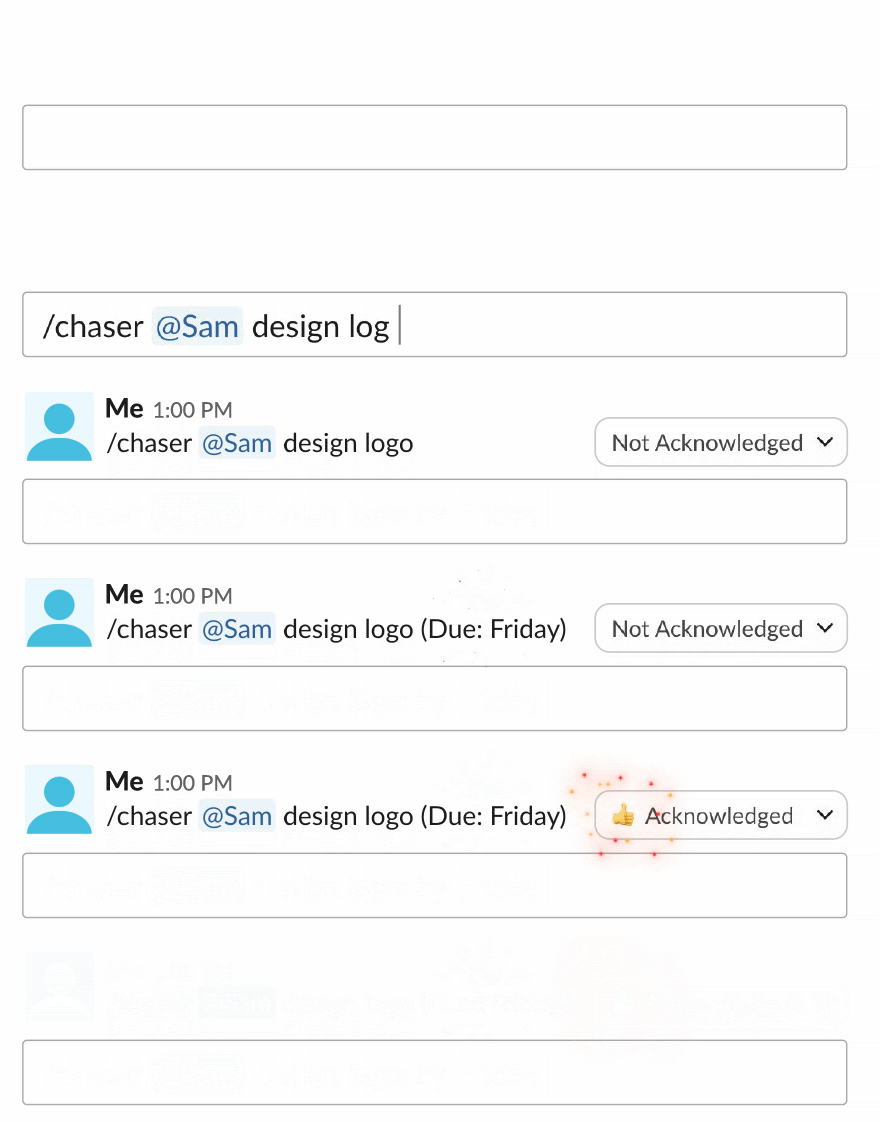
For teams that run their day in Slack, there is a third option: track the work inside Slack instead of windowing into a board outside it. With Chaser, Slack message becomes a task with an owner and a due date without leaving the conversation, the task gets marked done in the same thread, and Chaser reminds the assignee automatically. Dashboards and scheduled status reports live in Slack too, and it handles recurring tasks and reusable checklists.
Is Slack good for task management? goes deeper on where that trade makes sense.
Final thoughts
Monday keeps the surface small and readable and asks you to build your process into boards; ClickUp hands you almost everything and asks you to tame it. Pick Monday if mixed teams need something they can read at a glance, ClickUp if you want one deep tool to replace several and have someone to set it up — and check the seat rules and tier boundaries against your real headcount before you commit, because the cheaper sticker price isn't always the cheaper bill.
And if your team coordinates in Slack, use Chaser to track tasks directly in Slack.
You can try Chaser for free and see how it fits the way you already work in Slack. Get started and add Chaser to Slack, for free.




