Employee Onboarding Checklist: How to Set Up a New Hire Onboarding Checklist
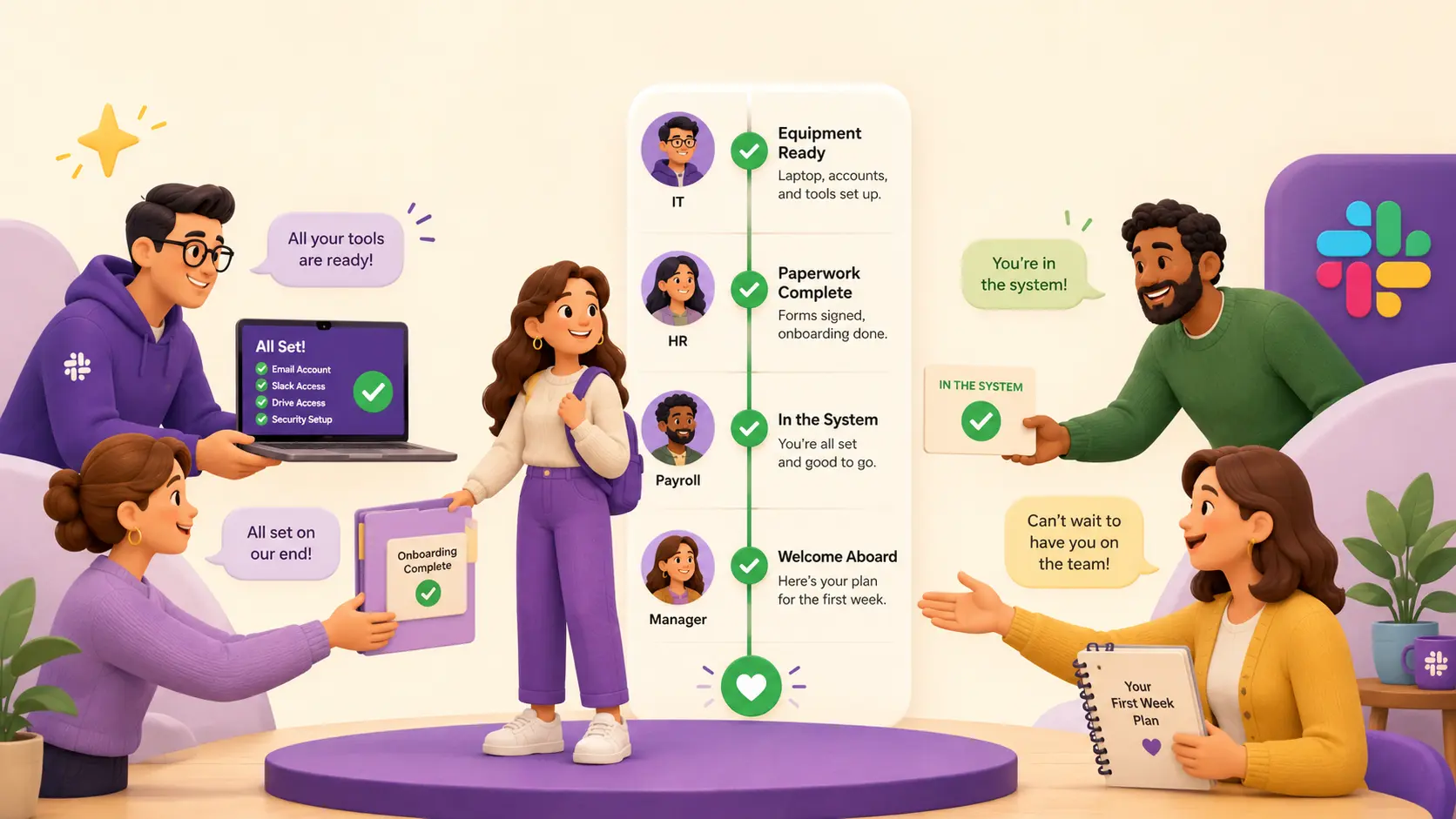

Setting up a new hire sometimes requires at least four people:
- IT orders the laptop and creates the accounts,
- HR runs the paperwork and benefits,
- payroll gets the person into the system,
- and the hiring manager plans the actual work and the first few weeks.
Most of them set up a new hire only a handful of times a year, so each one runs partly from memory — which is roughly what Gallup's finding that only 12% of employees strongly agree their company does a great job of onboarding looks like in practice.
That's what an employee onboarding checklist is for: a written list of every step, with a named owner for each, so a new hire's first day runs the same way whether they're the fifth person to start this month or the first hire since last spring.
This post covers what a complete new hire onboarding checklist needs to include — plus a sample checklist you can copy and a practical way to run it.
Start before day one
Ttreat the gap between offer-acceptance and the start date as part of onboarding rather than dead time. Order the equipment, create the accounts, and send the paperwork ahead so it can be filled out in advance.
Sort out where the person will sit, or for a remote hire, what's being shipped and when. A short welcome note a few days before saves the new hire from guessing and saves the manager a flurry of first-morning messages.
Paperwork and compliance
A US new hire completes a few federal forms, and some carry deadlines. Form I-9 verifies the person is authorized to work: the employee fills out their part by their first day, and the employer has to complete its part within three business days of the start date. Form W-4 sets federal income tax withholding. Both can go out with the offer paperwork so nobody's filling out forms on day one.
Federal law requires reporting every new hire to a state directory, generally within 20 days of the start date, though some states set a shorter window. Add payroll setup, direct deposit, and the benefits enrollment window to round out HR and payroll's part. Confirm the rules that apply where the employee actually works rather than relying on a general article, this one included.
Accounts, access, and equipment
On equipment, get it ready ahead of the start date. A laptop should arrive imaged, enrolled in device management, and with the everyday software already installed. For remote hires, ship the kit to land a few days before they start, not on the day. The accounts to have working on the first morning are the basics the person needs to get going: email, calendar, single sign-on, and the team's Slack workspace.
The first day
If the prep is done, day one can be about the person and the work instead of admin. The accounts work, the laptop is on the desk or already shipped, and the forms are mostly filled out. What's left is a welcome, a confirmation that logins actually work, and a manager conversation about the role and what the first week looks like.
Build in introductions to the immediate team and a hand-off to whoever is acting as the onboarding buddy. Then give the new hire something real but small to work on — a first task they can finish inside the first week does more for someone's footing than a week of reading documentation. Keep the first day light enough that none of this is a rush.
The first weeks
Set a plan for the first 90 days — with check-ins at fixed points, rather than only when something comes up. Use the last of those to ask the new hire how onboarding actually went, and fix whatever was missing for the next person who starts. That feedback step is the one most likely to get skipped, and it's the only way the checklist improves.
The standing things to add a new hire to
Beyond the core accounts, there's a longer tail of memberships a new hire needs, and most aren't obvious on day one. The person notices each one missing only when they hit it: a Slack channel where a decision gets made, or a recurring meeting they were never added to.
Work through this list deliberately rather than letting the new hire find each gap on their own. It usually includes:
- Team Slack channels and shared calendars
- Recurring team meetings
- Distribution and email lists
- The org chart and HR directory
- Team views in the tools the role uses
A few memberships should wait until the person has ramped. The on-call rotation and any approval chains where they'll be a named approver belong a few weeks in, not on day one.
For remote hires
Remote hires change three things in particular. Equipment ships ahead instead of waiting on a desk. The first day is a schedule of video calls rather than a walk around the office, so it needs more structure to avoid leaving someone alone in front of a quiet screen. And access leans entirely on accounts and device enrollment, with no badge or building to sort out.
A sample employee onboarding checklist
Here's a concrete employee onboarding checklist for a salaried hire starting in two weeks, grouped by timeline.
| When | Step | Owner |
|---|---|---|
| Before day one | Send offer paperwork, I-9 (Section 1) and W-4 to complete in advance | Dave (HR) |
| Before day one | Order the laptop and peripherals; allow time for delivery and imaging | Maya (IT) |
| Before day one | Create accounts and grant role-based access (email, SSO, Slack), scoped to the role | Maya (IT) |
| Before day one | Set up payroll and direct deposit; open benefits enrollment | Sam (payroll) |
| Before day one | Write the first-week plan and a first small task; send a welcome note with logistics | Priya (manager) |
| Before day one | Assign an onboarding buddy and brief them on the plan | Priya (manager) |
| Day one | Welcome, hand over laptop and badge, confirm every login works | Maya (IT) |
| Day one | Complete I-9 Section 2 (within 3 business days of the start date); run E-Verify if used | Dave (HR) |
| Day one | Manager 1:1 on role and the first week; team introductions | Priya (manager) |
| Day one | Add to team Slack channels, shared calendars, and distribution lists | Maya (IT) |
| First week | Buddy check-ins; new hire ships the first small task | Raj (buddy) |
| First week | Schedule role training and shadowing; add to recurring team meetings | Priya (manager) |
| First week | Confirm first payroll run is correct; answer benefits questions | Sam (payroll) |
| First 90 days | Check-ins at two weeks, one month, and three months on ramp and role clarity | Priya (manager) |
| First 90 days | Add to on-call rotation and approval chains once ramped | Priya (manager) |
| First 90 days | Ask the new hire how onboarding went; fix gaps for the next hire | Dave (HR) |
Running the checklist
The steps above belong to four or five different people, none of whom coordinate on hiring day to day. Hiring is a process everyone agrees matters is run inconsistently because no one person sees the whole list. A reusable checklist with an owner per step is the standard fix for this — cross-functional and repeated, but not frequent enough for anyone to have it memorized.
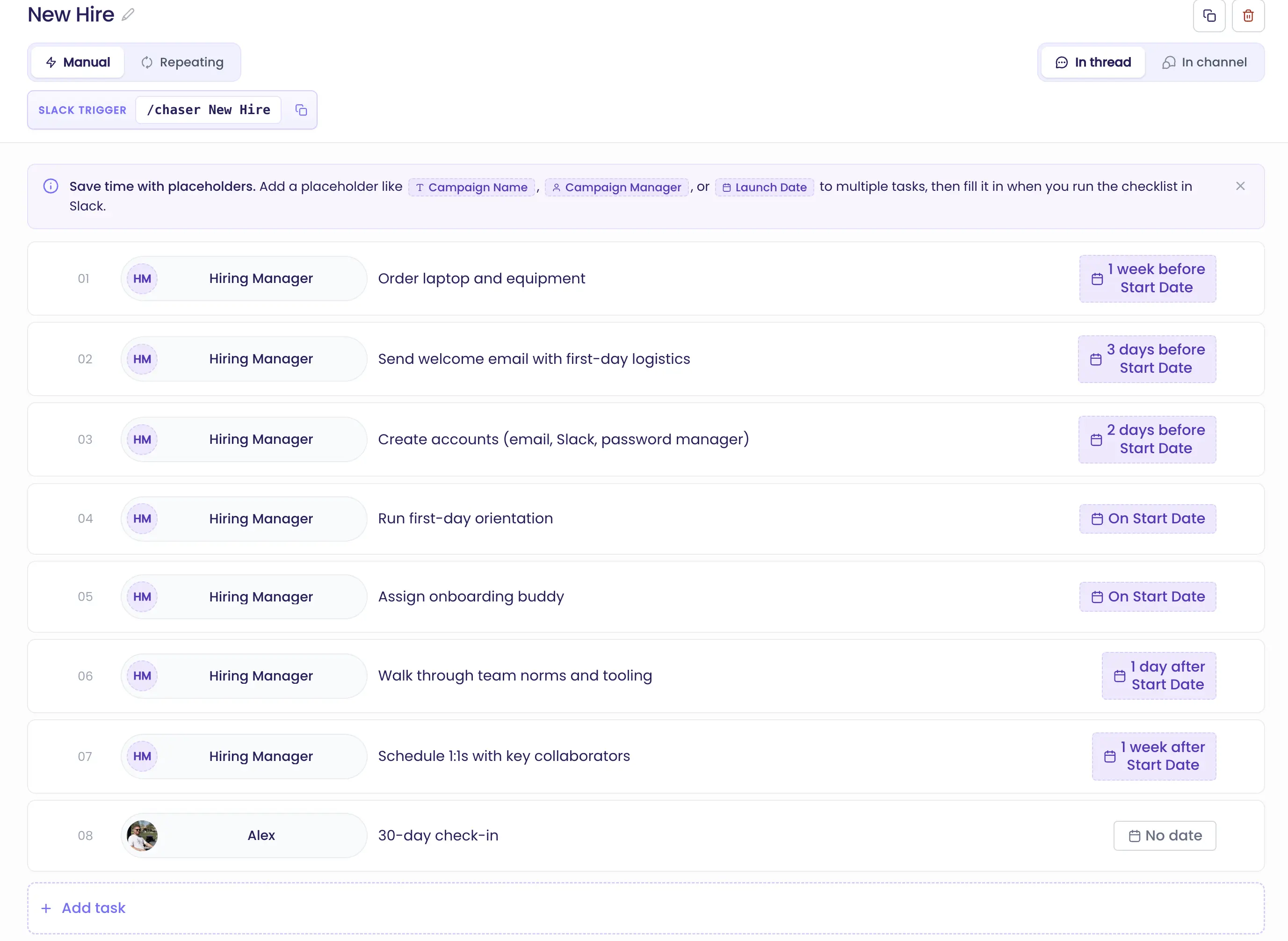
Chaser handles this case directly: you build the onboarding checklist once as a reusable template in Slack, with an owner and a deadline on every step, and trigger it with one command when an offer is accepted. Each step becomes a tracked task, so Maya gets hers and Dave gets his, and Chaser follows up with each owner automatically until their step is done — with the status of every step visible without leaving Slack. This guide to Chaser templates shows the setup.
The same pattern covers any process that's cross-functional and recurring but irregular; the mirror-image employee offboarding checklist for when someone leaves has the same shape.
Final thoughts
Onboarding runs well when it's treated as routine: a written checklist, one owner per step, deadlines pinned to the start date. The manager, HR, and IT usually coordinate the hire in Slack, which makes it a sensible place for the checklist to live. It's also the first place a new hire lands, so the opening item can be as simple as getting them into the team's channels with their accounts already working.
You can try Chaser for free and see how it fits the way your team already works in Slack. Get started and add Chaser to Slack, for free.


